

 About Us
https://mcp.prowler.com/mcp.
Where Claude Code Runs
Claude Code runs in two places. Both read the same configuration file, so you set it up once from a terminal and it works in both.Choose Your Setup
There are two ways to connect. Both end with the same MCP Server connection, the difference is what comes with it.The plugin already includes the MCP connection. If you install the plugin, do not also run
claude mcp add — you would end up with the server configured twice.Prerequisites
- Claude Code installed and signed in. See the official install guide.
- A Prowler Cloud account. The free tier is enough to start. Sign up at cloud.prowler.com.
Get Your Prowler API Key
Create an API key in Prowler Cloud and copy it. The key begins withpk_ and is shown only once. Check the API Keys guide for details.
Option 1: Install the Prowler Plugin
End-to-end cloud security from inside Claude Code, powered by the Prowler MCP server. The plugin bundles the official Prowler skills, task-specific workflows that let Claude carry out multi-step security work against a Prowler Cloud-connected account, rather than answering one question at a time.Included Skills
More skills are on the way. Installing the plugin keeps you current — new skills arrive with plugin updates, no extra configuration required.
Installation (Claude Code CLI)
- From GitHub (recommended)
- From a local clone
Inside a Claude Code session:
~/.claude/.credentials.json) and used to authenticate against Prowler Cloud.
Verify the Installation
In a Claude Code session:/mcp reports the prowler server as failed, the most common cause is a rejected API key, re-issue one in Prowler Cloud and reinstall the plugin so it re-prompts.
Usage
Describe the security task you want done and Claude selects the matching skill.Framework Compliance Triage
Mention the framework you want to comply with:- “Make my AWS production account compliant with CIS 4.0.”
- “Make my current Terraform project compliant with Prowler ThreatScore Compliance Framework based on the latest scan results.”
- “Help me get to 100% on PCI-DSS for this GCP project.”
Claude-assisted (default)
Claude shows each fix — target resource, exact commands, side effects, reversibility — and waits for your go-ahead before applying.
Claude autonomous
Claude presents a single up-front plan grouped by shared fixes, waits for one confirmation, then proceeds. It pauses mid-loop if a fix has wide blast radius or a finding is not applicable.
.prowler/ at your project root — one file per framework × account. Open it any time to see exactly where the flow is. When all findings are addressed, Claude proposes a fresh Prowler scan to verify everything end-to-end.
Uninstalling
Option 2: Connect the MCP Server Only
Choose this when you want Prowler’s tools available without the Prowler skills.Add the Server
Claude Code connects to remote HTTP MCP servers natively and supports custom headers, so no bridge is required.
When the same server name exists in more than one scope, precedence is local → project → user. The winning entry is used whole; fields are not merged.
Local server: Replace the URL with your own HTTP endpoint. Everything else stays the same.
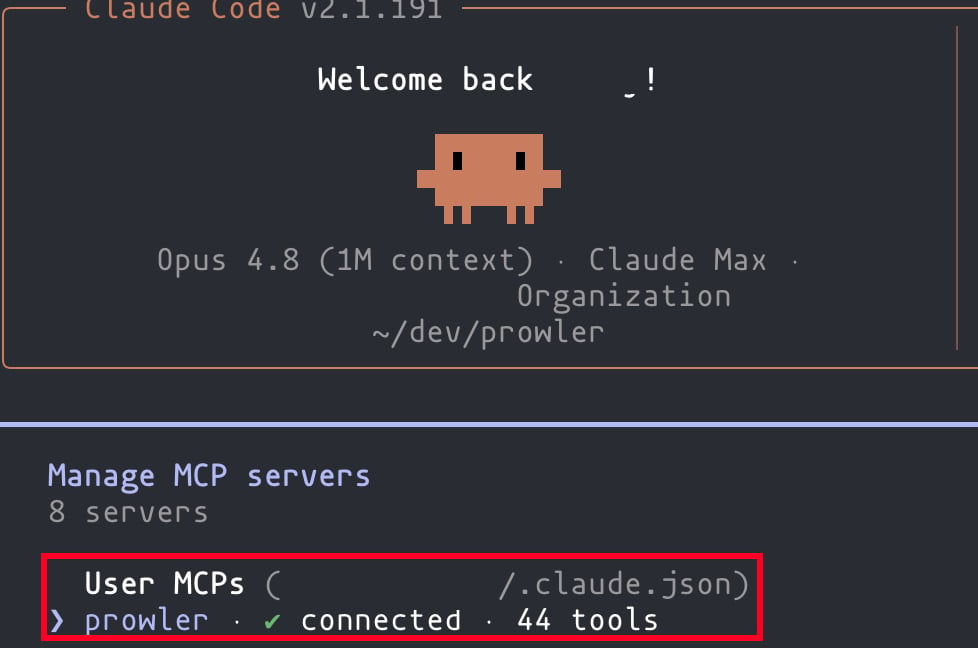
Verify the Connection
/mcp to see connected servers and their tools.
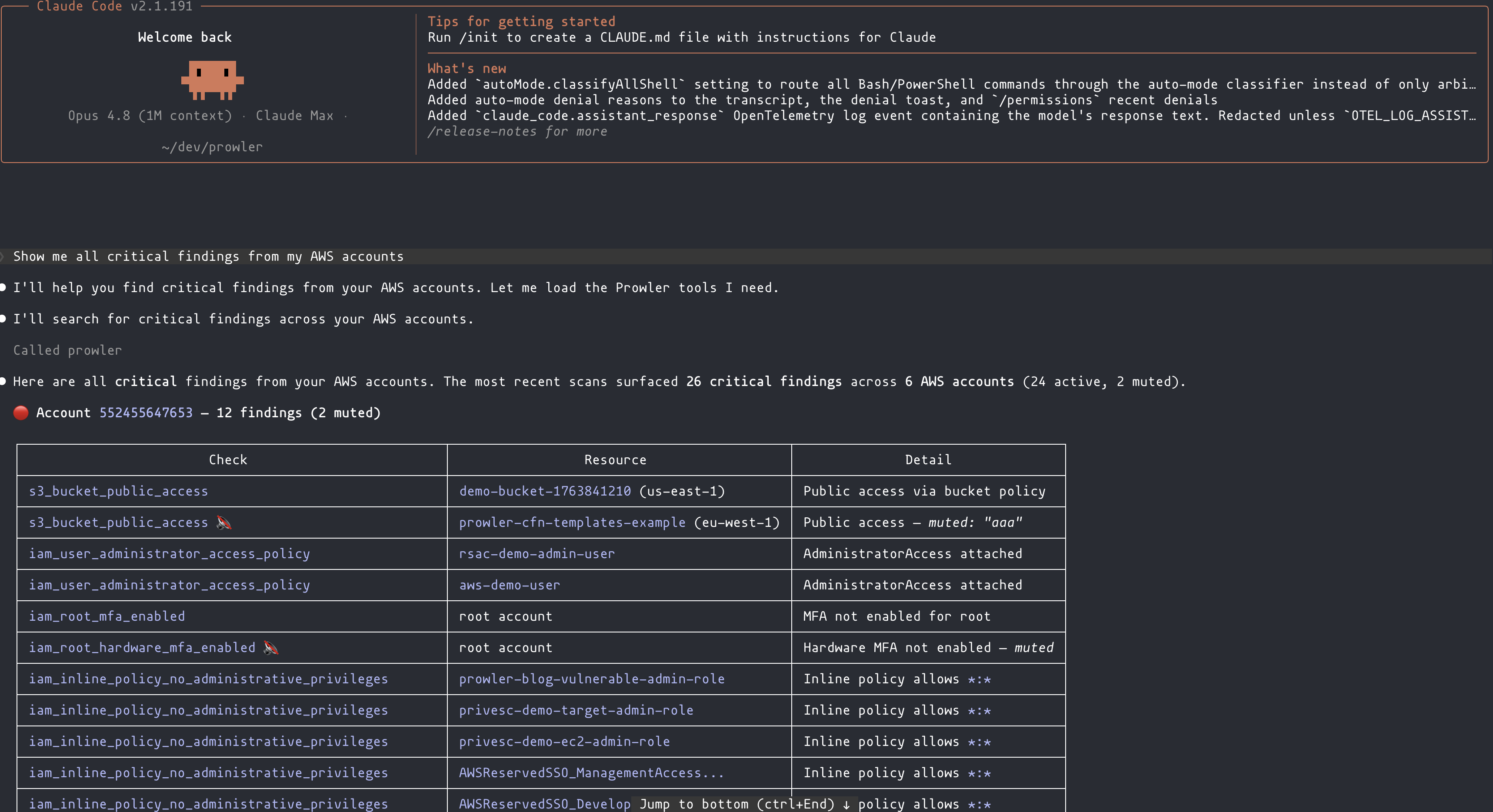
Start Using Prowler MCP
- “Show me all critical findings from my AWS accounts”
- “What does the S3 bucket public access check do?”
- “Onboard this new AWS account in my Prowler organization”
Claude Code in the Desktop App (Code Tab)
The Code tab in the Claude desktop app runs the same Claude Code as the CLI, and reads the same~/.claude.json. There is no separate Prowler setup for it — you configure it from a terminal and the Code tab picks it up.
1
Add the server at user scope from a terminal
In a normal terminal — not inside the app:
--scope user is what makes this work. It writes to ~/.claude.json, the file the Code tab reads.2
Confirm it landed at user scope
user. A local-scoped server is bound to the directory you ran the command in and will not load in an app session opened elsewhere.3
Restart the Claude app
Quit the app completely and reopen it. Configuration is read at startup.
4
Verify in the Code tab
Open a Code tab session and ask for a Prowler tool: “Do you have access to the Prowler MCP tools?”, it should respond with a list of available tools or confirming that it has access.
Claude App Chat (Chat Tab)
Not covered by this page. The Chat tab is a separate surface: it does not read~/.claude.json, so a server added with claude mcp add appears in the CLI and in the Code tab but never in Chat. That is expected behavior, not a broken setup.
Chat reads claude_desktop_config.json and reaches the Prowler MCP Server through a local bridge.
Connect the Claude App Chat
Separate guide: local bridge and its own configuration file
Troubleshooting
Authentication Fails With 401
- Confirm the header value includes the
Bearerprefix. - Check that
PROWLER_API_KEYwas set when you ranclaude mcp add— the shell expands it at that moment and stores the resulting literal value. If the variable was empty, the stored header readsBearerwith nothing after it. Verify withclaude mcp get prowler. - Confirm the key has not been revoked in Prowler Cloud.
Next Steps
Tools Reference
Explore all available tools and capabilities
All MCP Clients
Configuration reference for every supported client
Getting Help
- Search for existing GitHub issues
- Ask for help in our Slack community
- Report a new issue on GitHub