

 About Us
Lighthouse AI on Prowler Cloud
Discover the enhanced Cloud experience: persistent chat sessions, GPT-5.5 by default, a dedicated agentic view, and transparent reasoning
Set Up Lighthouse AI
Learn how to configure Lighthouse AI with your preferred LLM provider
Capabilities
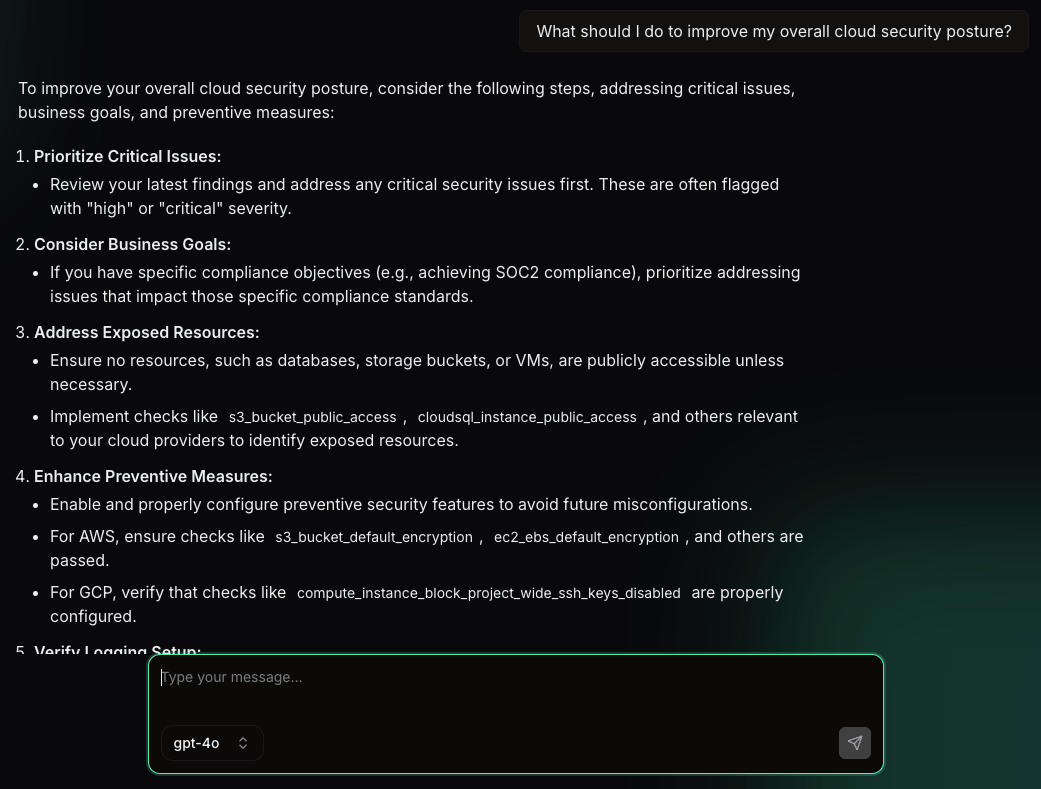
Prowler Lighthouse AI is designed to be your AI security team member, with capabilities including:Natural Language Querying
Ask questions in plain English about your security findings. Examples:- “What are my highest risk findings?”
- “Show me all S3 buckets with public access.”
- “What security issues were found in my production accounts?”
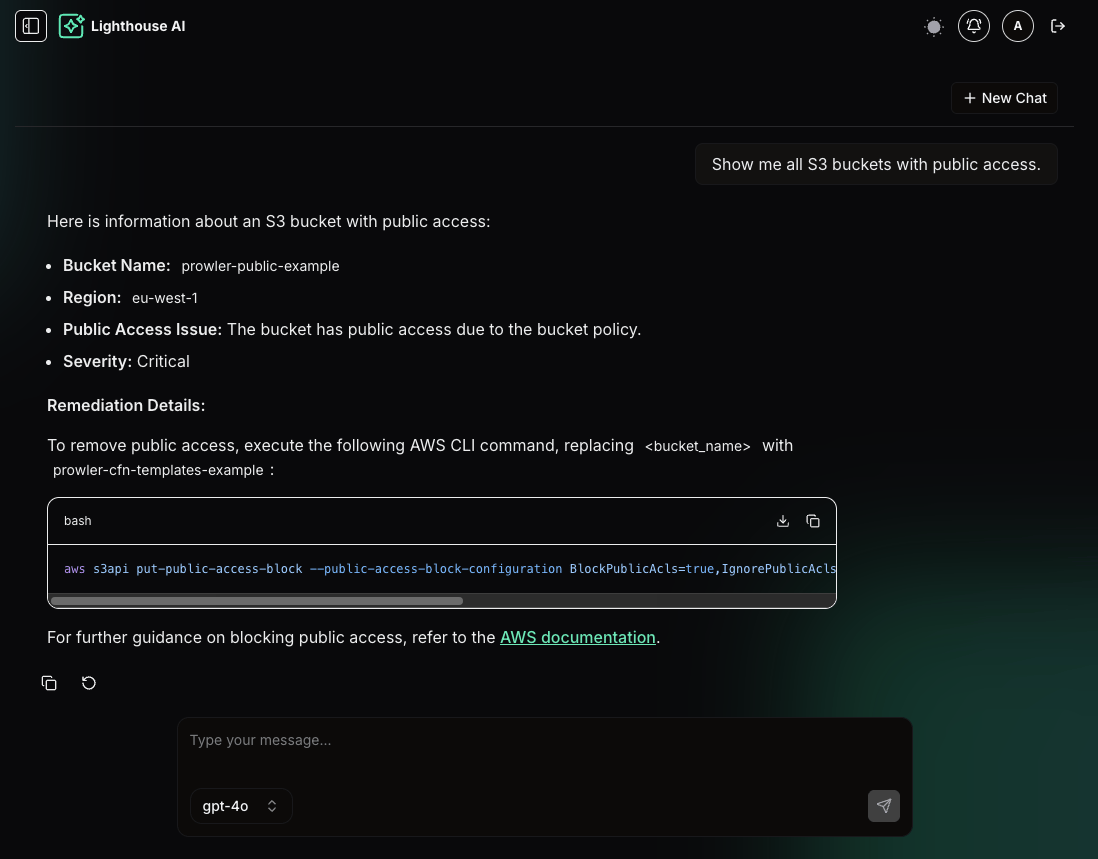
Detailed Remediation Guidance
Get tailored step-by-step instructions for fixing security issues:- Clear explanations of the problem and its impact
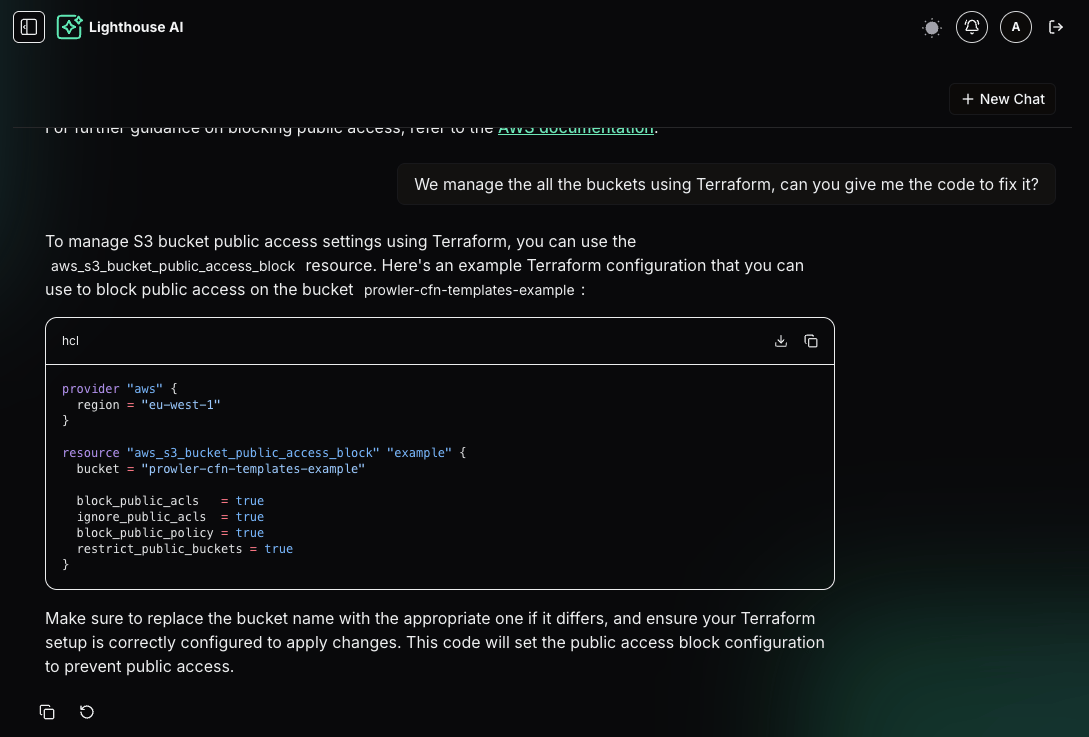
- Commands or console steps to implement fixes
- Alternative approaches with different solutions
Enhanced Context and Analysis
Lighthouse AI can provide additional context to help you understand the findings:- Explain security concepts related to findings in simple terms
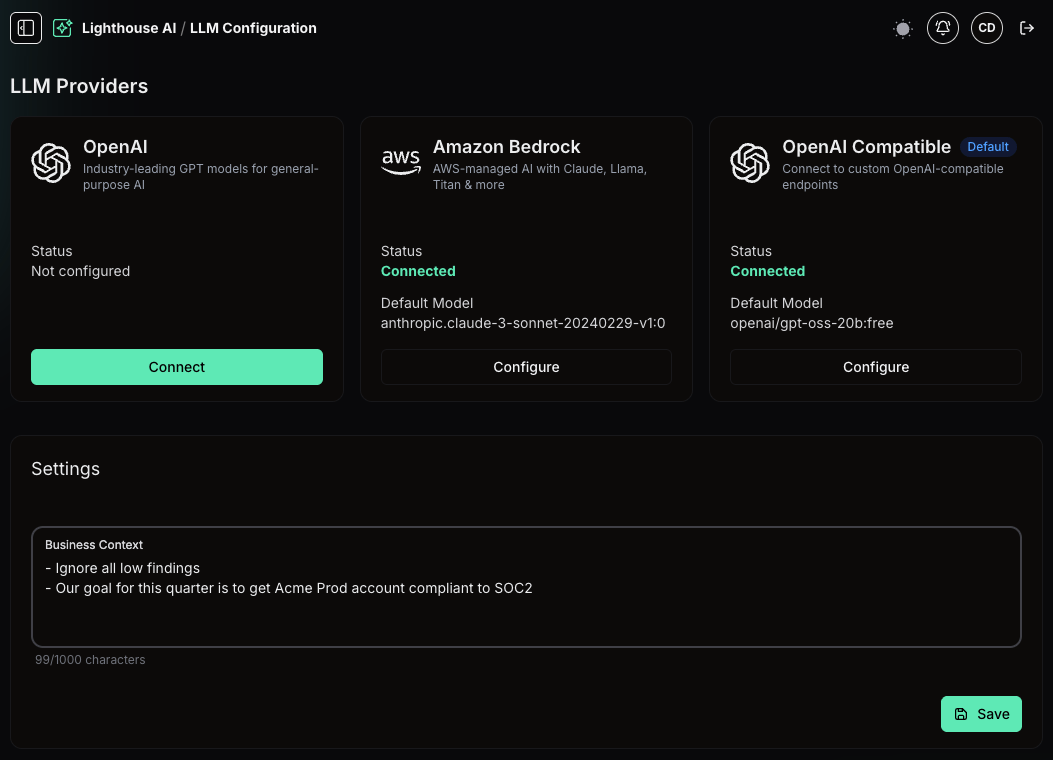
- Provide risk assessments based on your environment and context
- Connect related findings to show broader security patterns
Important Notes
Prowler Lighthouse AI is powerful, but there are limitations:- Continuous improvement: Please report any issues, as the feature may make mistakes or encounter errors, despite extensive testing.
- Access limitations: Lighthouse AI can only access data the logged-in user can view. If you can’t see certain information, Lighthouse AI can’t see it either.
- NextJS session dependence: If your Prowler application session expires or logs out, Lighthouse AI will error out. Refresh and log back in to continue.
- Response quality: The response quality depends on the selected LLM provider and model. Choose models with strong tool-calling capabilities for best results. We recommend
gpt-5model from OpenAI.
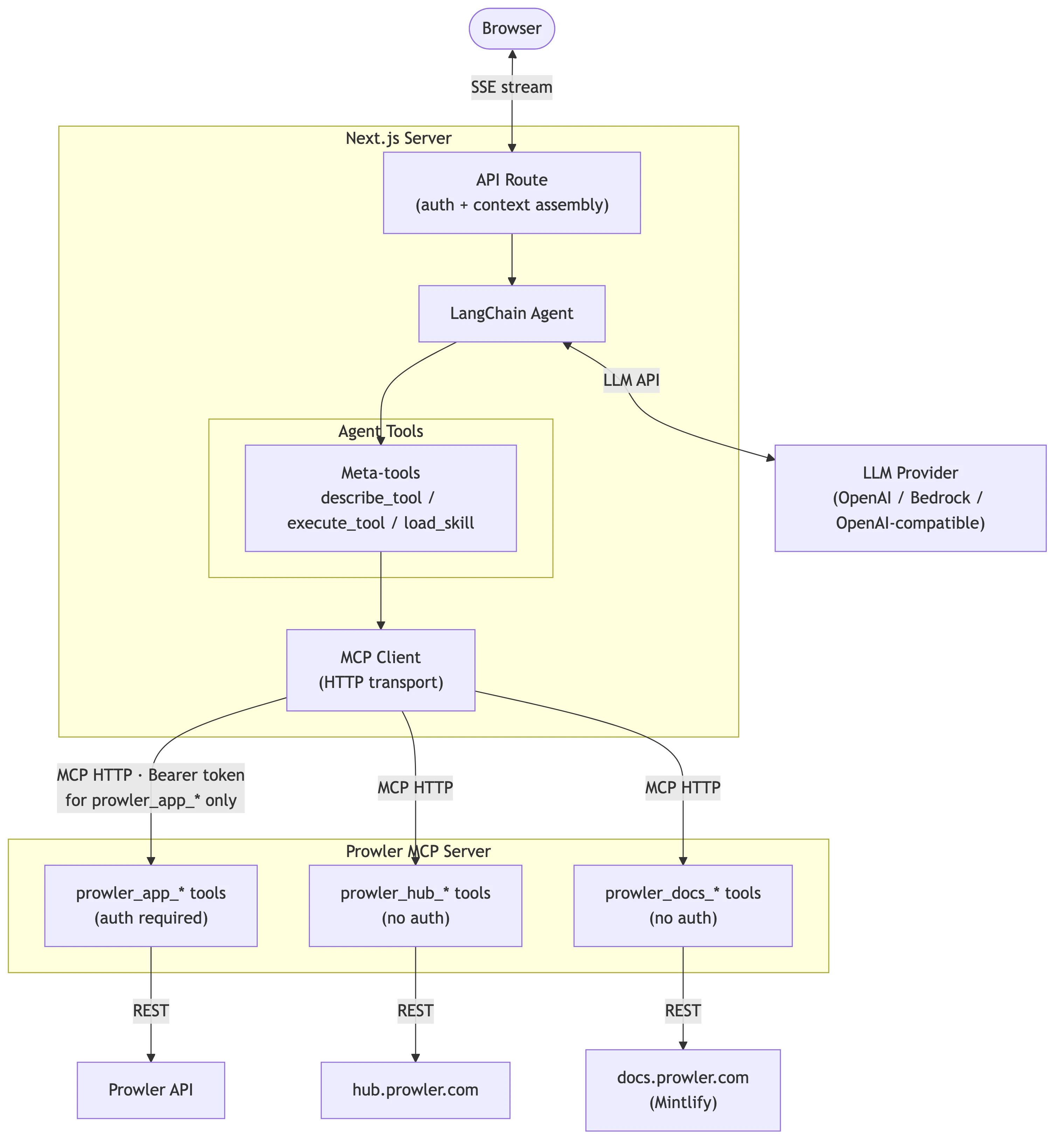
Architecture
Extending Lighthouse AI
Lighthouse AI retrieves data through Prowler MCP. To add new capabilities, extend the Prowler MCP Server with additional tools and Lighthouse AI discovers them automatically. For development details, see:- Lighthouse AI Architecture - Internal architecture and extension points
- Extending the MCP Server - Adding new tools to Prowler MCP
Getting Help
If you encounter issues with Prowler Lighthouse AI or have suggestions for improvements, please reach out through our Slack channel.What Data Is Shared to LLM Providers?
The following API endpoints are accessible to Prowler Lighthouse AI. Data from the following API endpoints could be shared with LLM provider depending on the scope of user’s query:FAQs
1. Which LLM providers are supported? Lighthouse AI supports three providers:- OpenAI - GPT models (GPT-5, GPT-4o, etc.)
- Amazon Bedrock - Claude, Llama, Titan, and other models via AWS
- OpenAI Compatible - Custom endpoints like OpenRouter, Ollama, or any OpenAI-compatible service
- Text input
- Text output
- Tool calling