

 About Us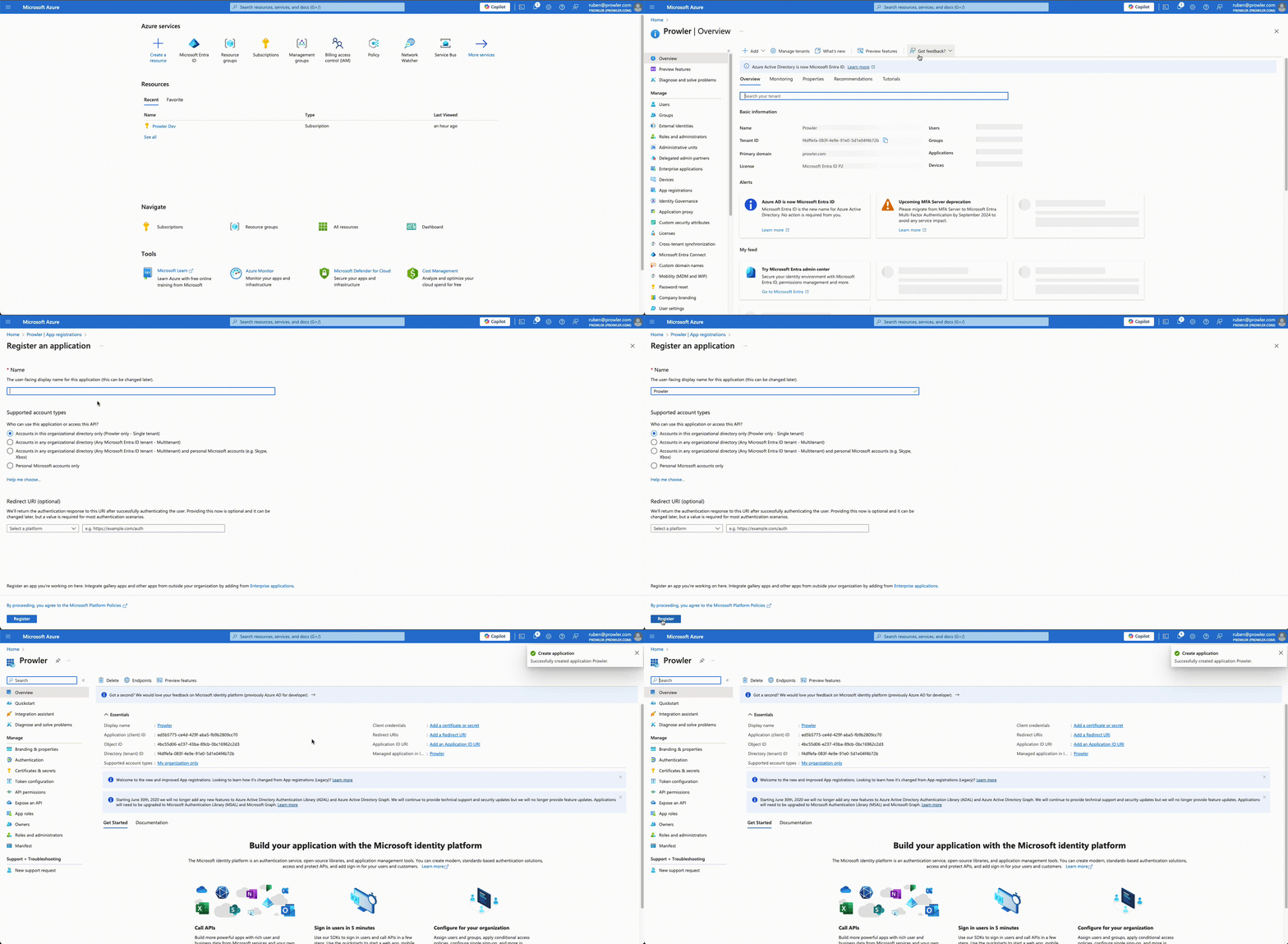
Creating a Service Principal via Azure Portal / Entra Admin Center
-
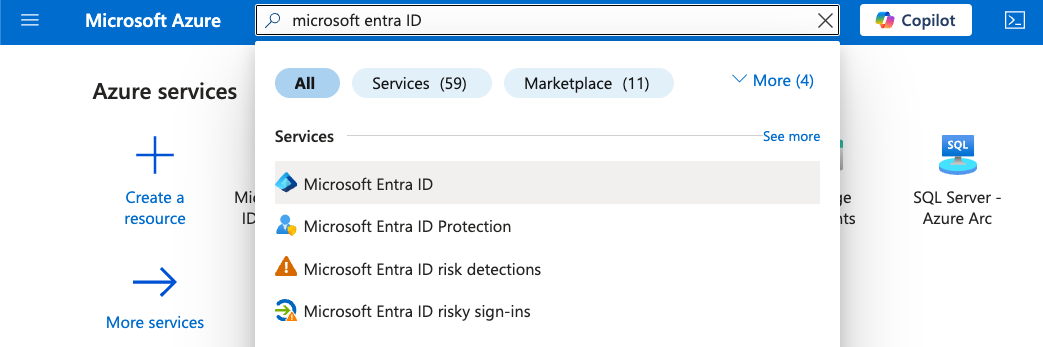
Access Microsoft Entra ID in the Azure Portal
-
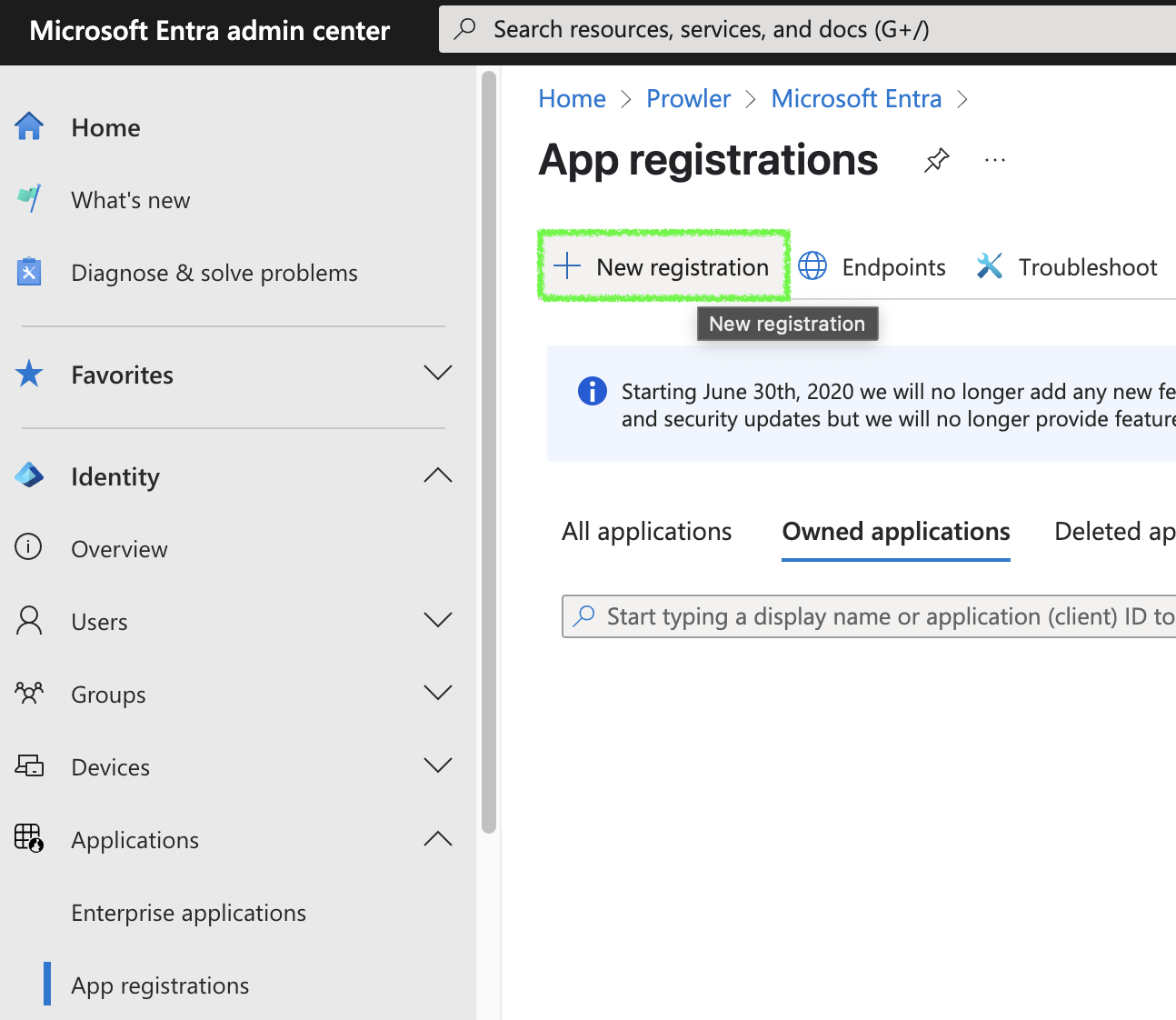
Navigate to “Manage” > “App registrations”
-
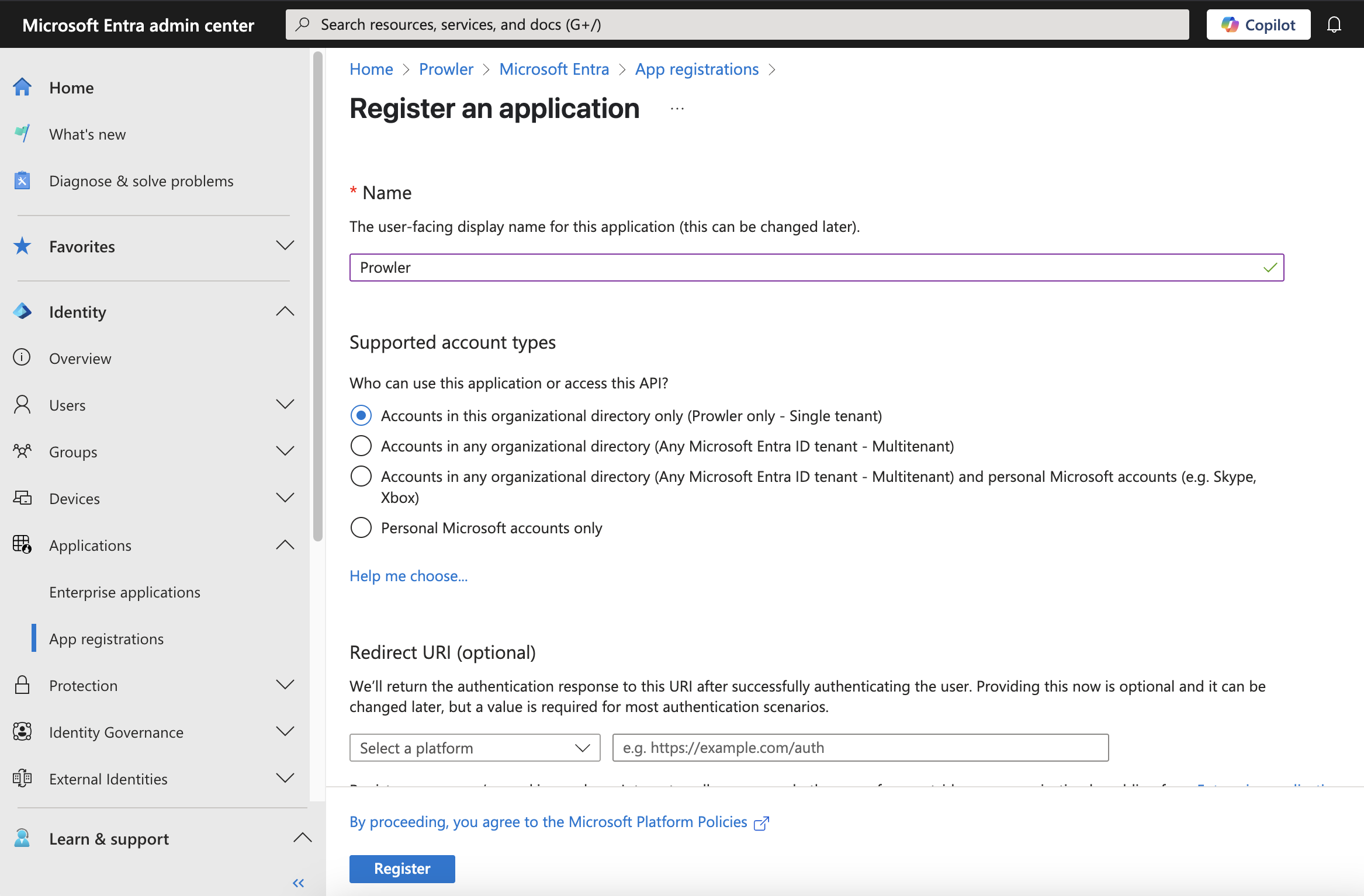
Click ”+ New registration”, complete the form, and click “Register”
-
Go to “Certificates & secrets” > ”+ New client secret”
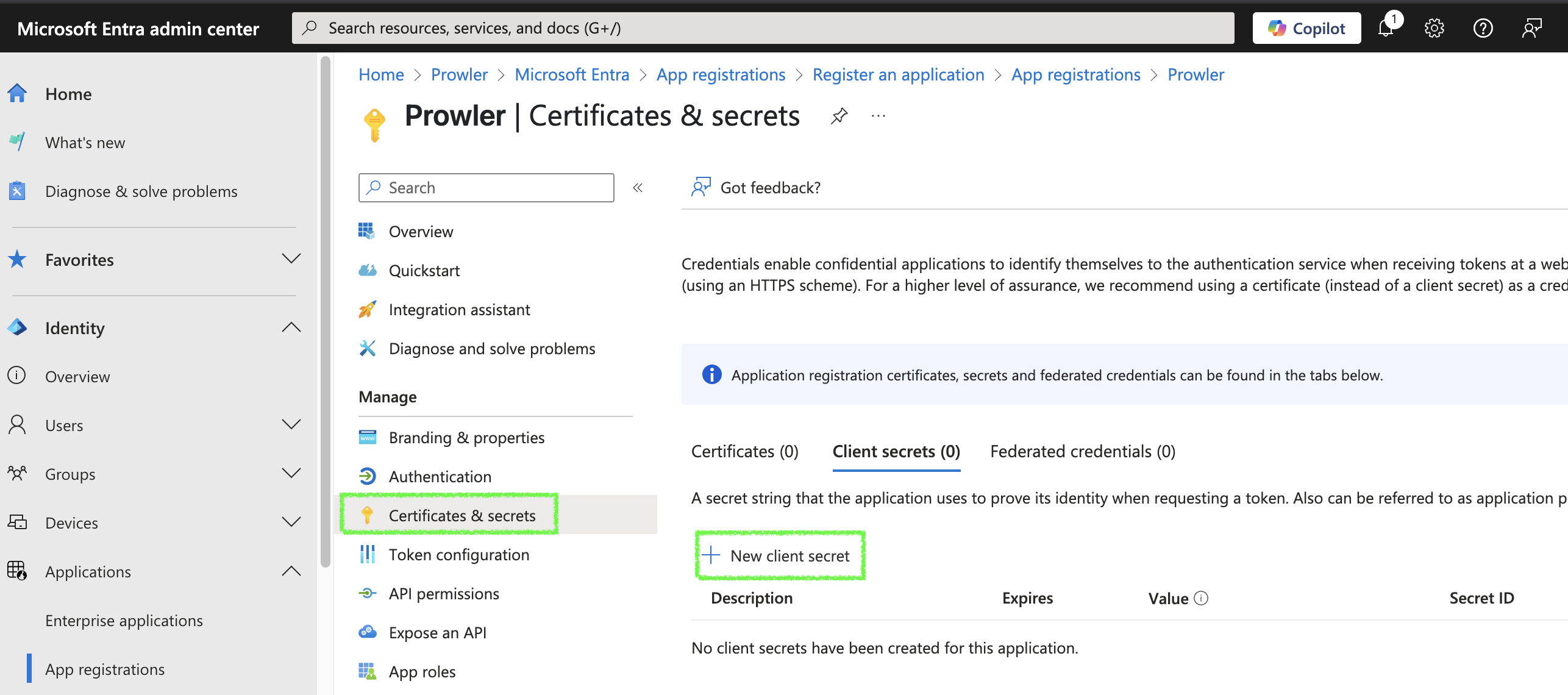
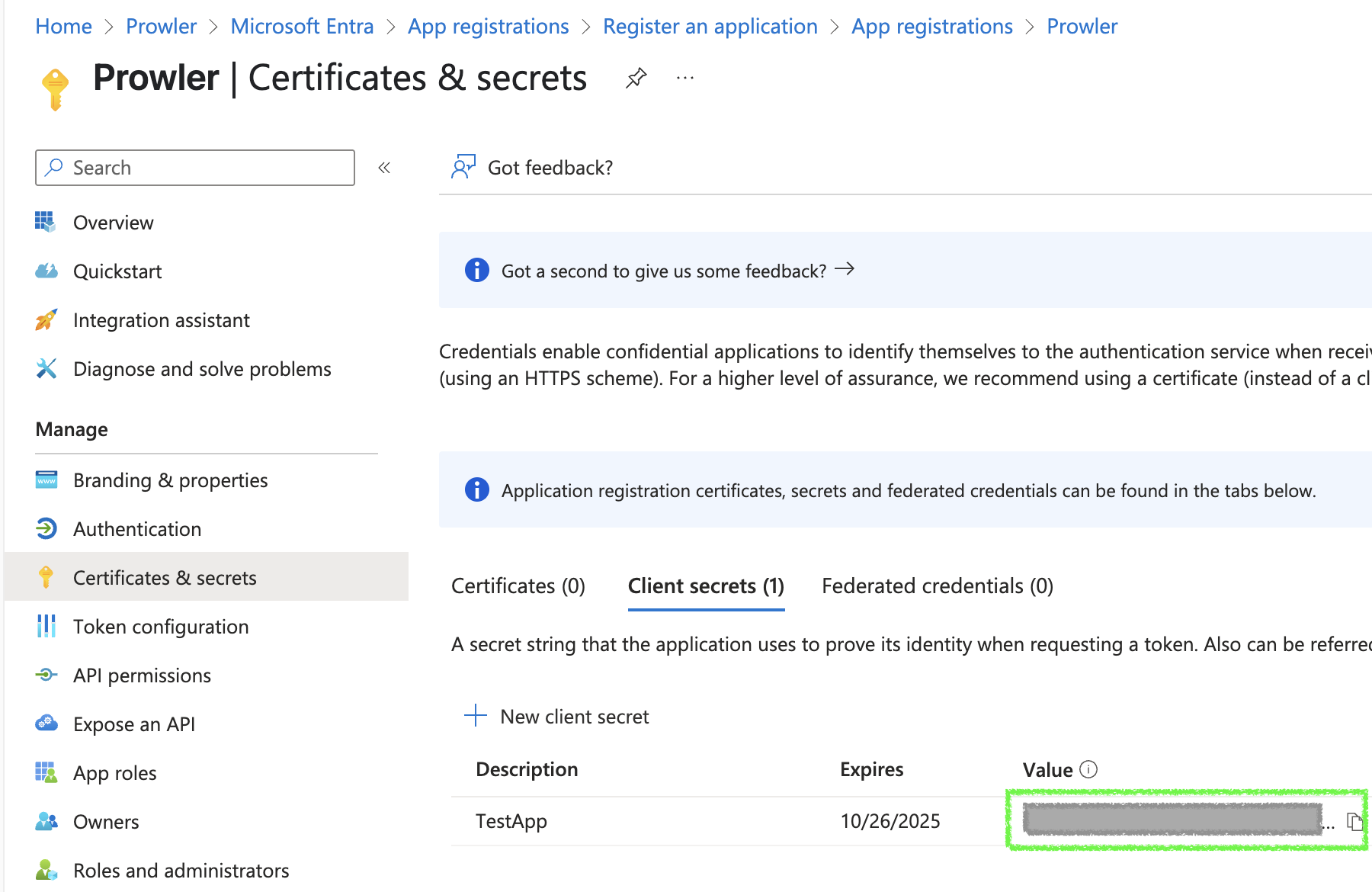
- Fill in the required fields and click “Add”, then copy the generated value
Creating a Service Principal from Azure CLI
To create a Service Principal using the Azure CLI, follow these steps:-
Open a terminal and execute the following command:
-
The output will be similar to:
-
Save the values of
appId,passwordandtenant, as they will be used as credentials in Prowler.