

 About Us
Common Setup
Prerequisites
- An Okta organization. The UI examples below use Identity Engine terminology such as Global Session Policy; Classic Engine exposes equivalent sign-on policy concepts under older naming.
- A Super Administrator account on that organization for the one-time service-app setup.
- An API Services app integration created in the Okta Admin Console.
Authentication Method Overview
The private-key JWT flow is the only supported authentication method in the initial release. The service application proves possession of a private key on every token request; Okta returns a short-lived access token, refreshed automatically by the SDK.
If a different authentication method is needed (SSWS API token, OAuth with user delegation, etc.), please open a feature request describing the use case.
Required OAuth Scopes
The bundled checks require the following read-only scopes:okta.policies.readokta.brands.readokta.apps.readokta.authenticators.readokta.networkZones.readokta.apiTokens.readokta.roles.readokta.groups.readokta.logStreams.readokta.idps.read
Required Admin Role
The service application must be assigned one of the following Okta admin roles:- Read-Only Administrator — covers every
signoncheck and runsapplication_authentication_policy_network_zone_enforcedagainst the apps it can see. Visibility caveat: under Read-Only Administrator the/api/v1/appsendpoint returns only the apps the service application is itself assigned to — typically just the service app’s own row (for example,Prowler Scanner). The check still produces a finding for that app, but the rest of the org’s app inventory is invisible at this role level. - Super Administrator — required additionally to evaluate five application-service checks that target Okta’s first-party apps (Okta Admin Console, Okta Dashboard). With Super Administrator,
application_authentication_policy_network_zone_enforcedalso evaluates the full org-wide app inventory instead of the service-app-only slice.
403 Forbidden. Read-Only Administrator is the minimum role that lets the granted okta.*.read scopes return configuration data to Prowler’s checks; without it, the credential probe at provider startup fails and the scan never gets to evaluate any check.
When Super Administrator Is Required
Four checks need to resolve the Authentication Policy bound to Okta’s first-party apps (Okta Admin Console, Okta Dashboard) and depend on/api/v1/apps returning those system apps — which Okta restricts to Super Administrator:
Okta filters the first-party apps (
saasure, okta_enduser) out of /api/v1/apps for every role below Super Administrator, so okta.apps.read alone is not enough. The okta.apps.manageFirstPartyApps permission exists only in the paid Okta Identity Governance role ACCESS_REQUESTS_ADMIN and cannot be added to custom roles (Okta Permissions Catalog).
A fifth check — application_admin_console_session_idle_timeout_15min (STIG V-273187) — also requires Super Administrator: it calls GET /api/v1/first-party-app-settings/admin-console, which returns 403 E0000006 for every role below Super Administrator.
user_inactivity_automation_35d_enabled (STIG V-273188) reads USER_LIFECYCLE policies (list_policies(type='USER_LIFECYCLE')) using the okta.policies.read scope. The Read-Only Administrator role is enough to list them; no Super Administrator requirement.
When the service app runs with Read-Only Administrator, the checks listed in this section return MANUAL instead of PASS/FAIL — the rest of the scan keeps running.
Read-Only Administrator stays the recommended default for the least-privilege framing that aligns with DISA STIG. Assign Super Administrator on a separate run when full coverage of the first-party app checks is needed.
Step-by-Step Setup
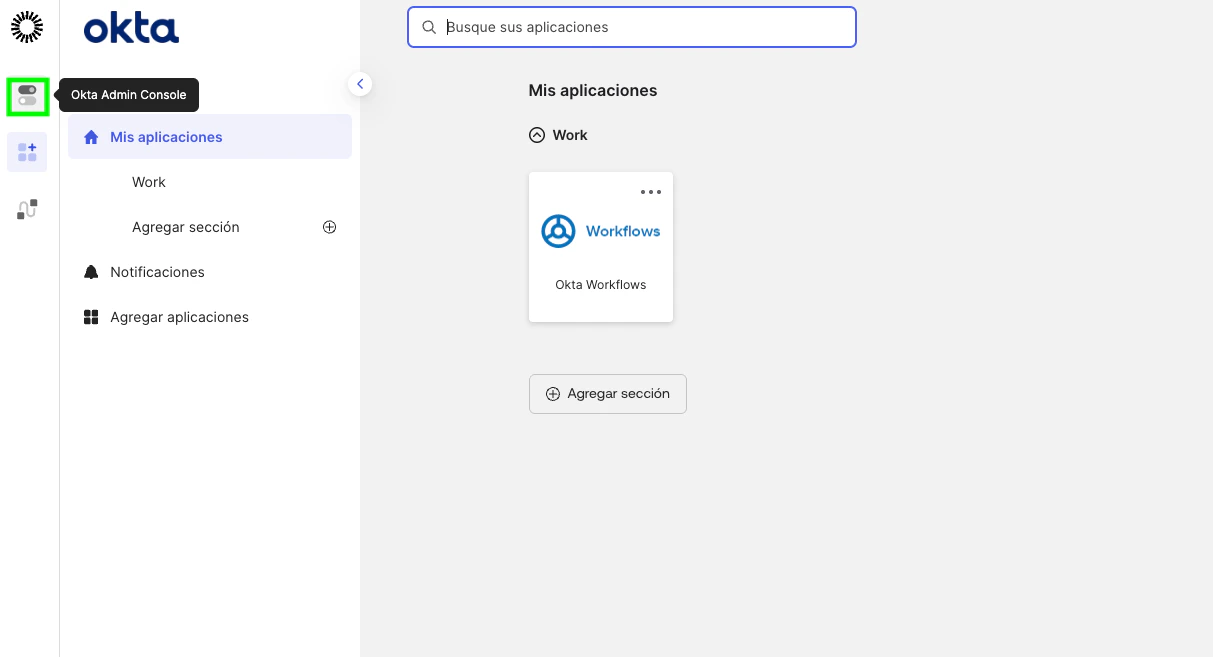
1. Go to the Admin Console
2. [Optional] - Disable the Privilege-Escalation Bypass (Org-Wide, One-Time)
In the Okta Admin Console, go to Settings → Account → Public client app admins and ensure it is off. When enabled, every API Services app can be auto-assigned the Super Administrator role after scopes are granted, which would invalidate the read-only premise of this integration.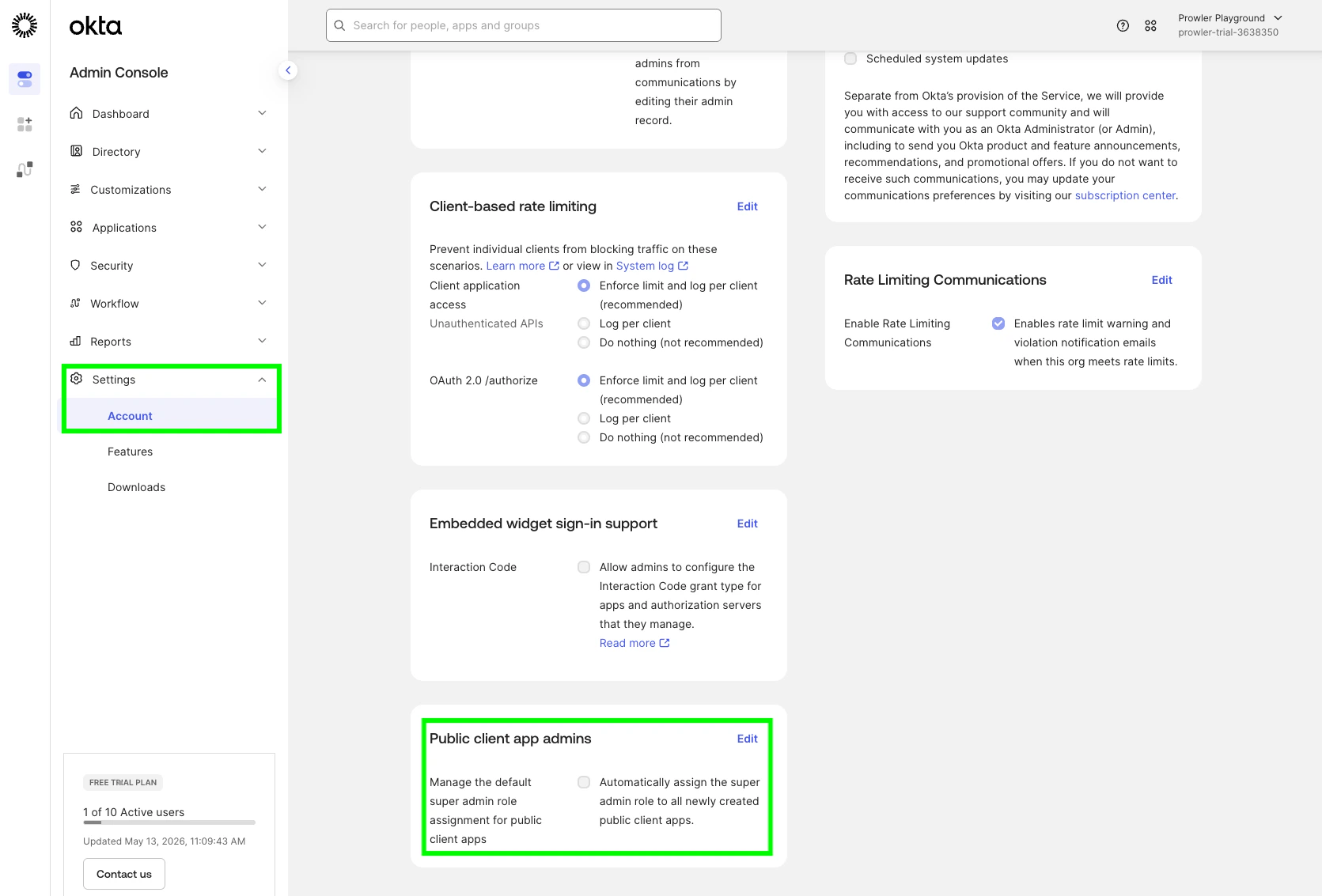
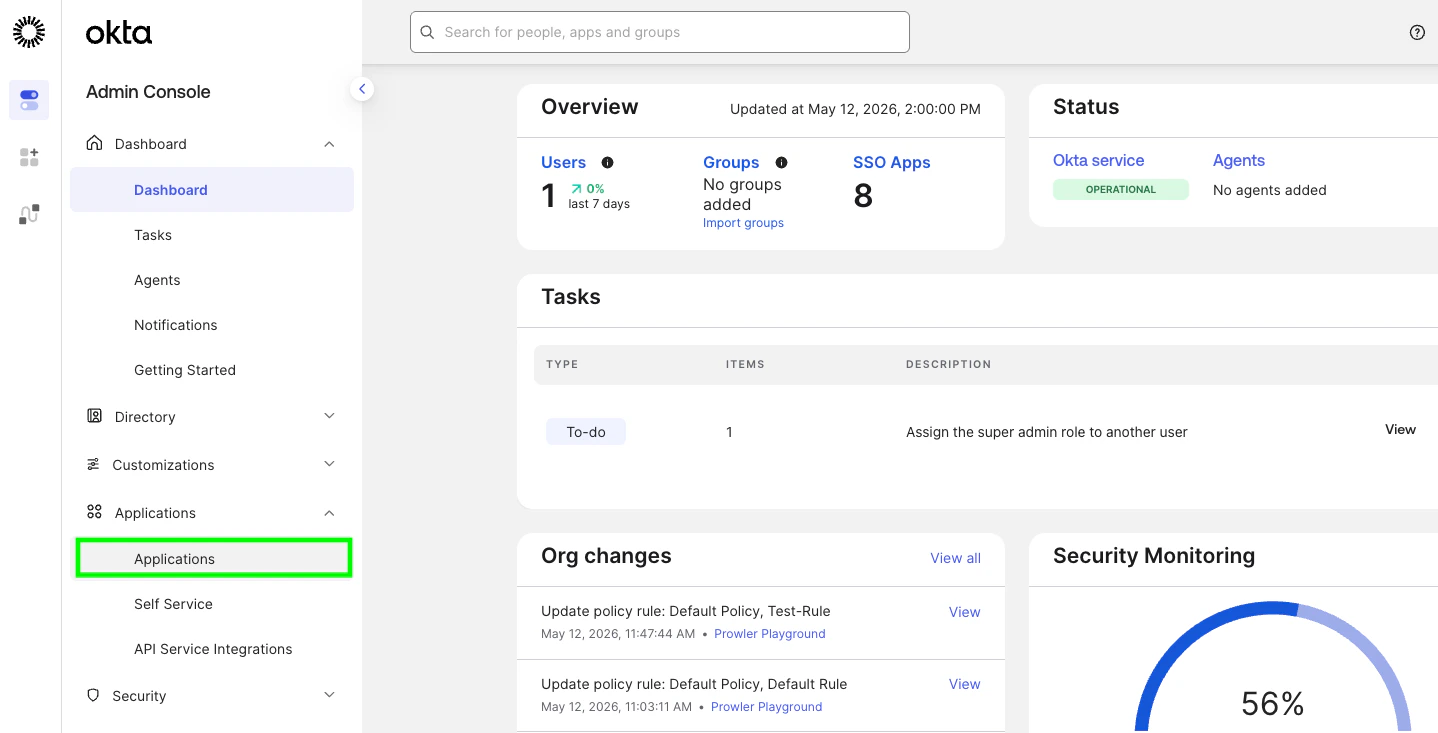
3. Create the API Services App
- Go to Applications → Applications.
- Create App Integration
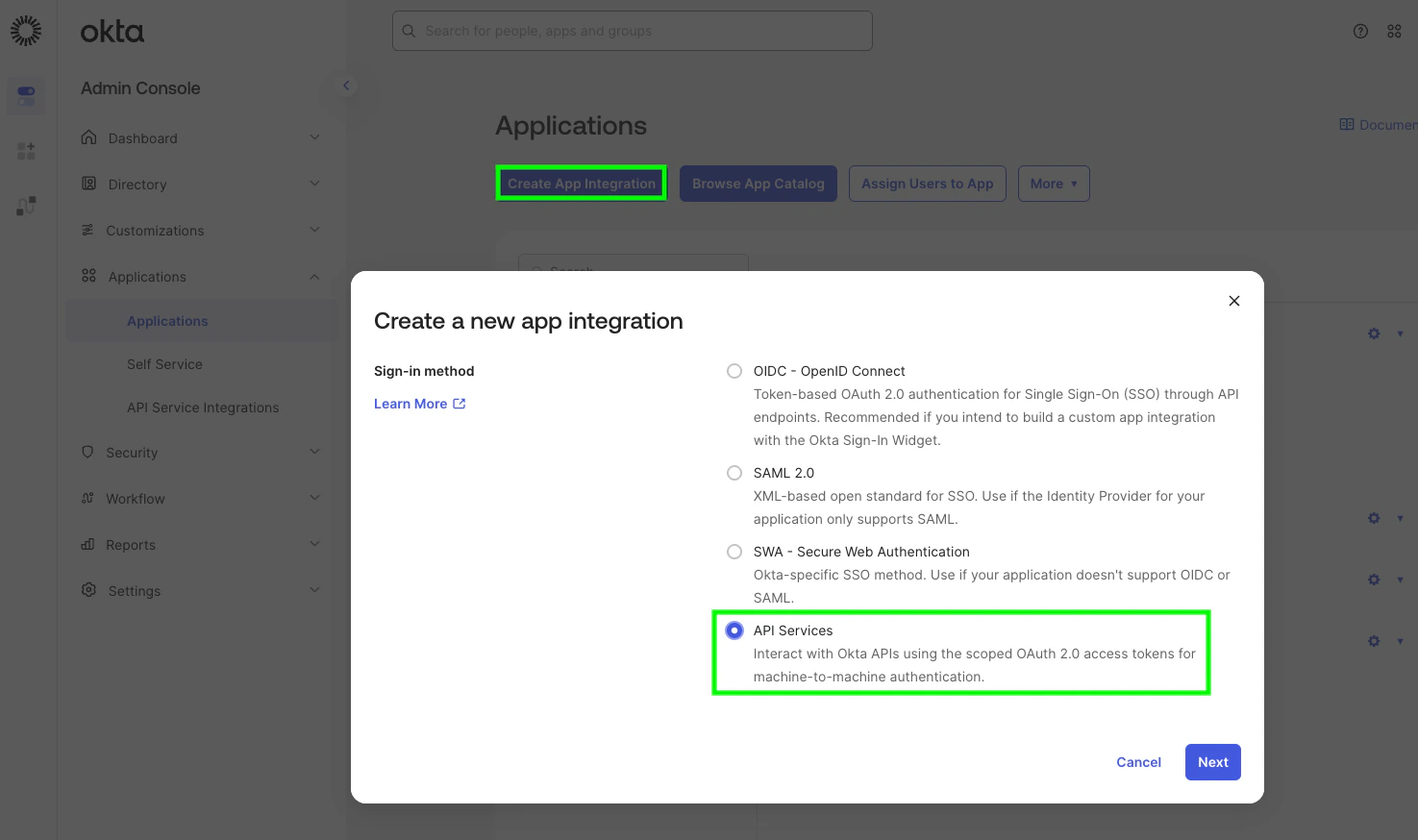
- Sign-in method: API Services. Click Next.
- Name the app (for example,
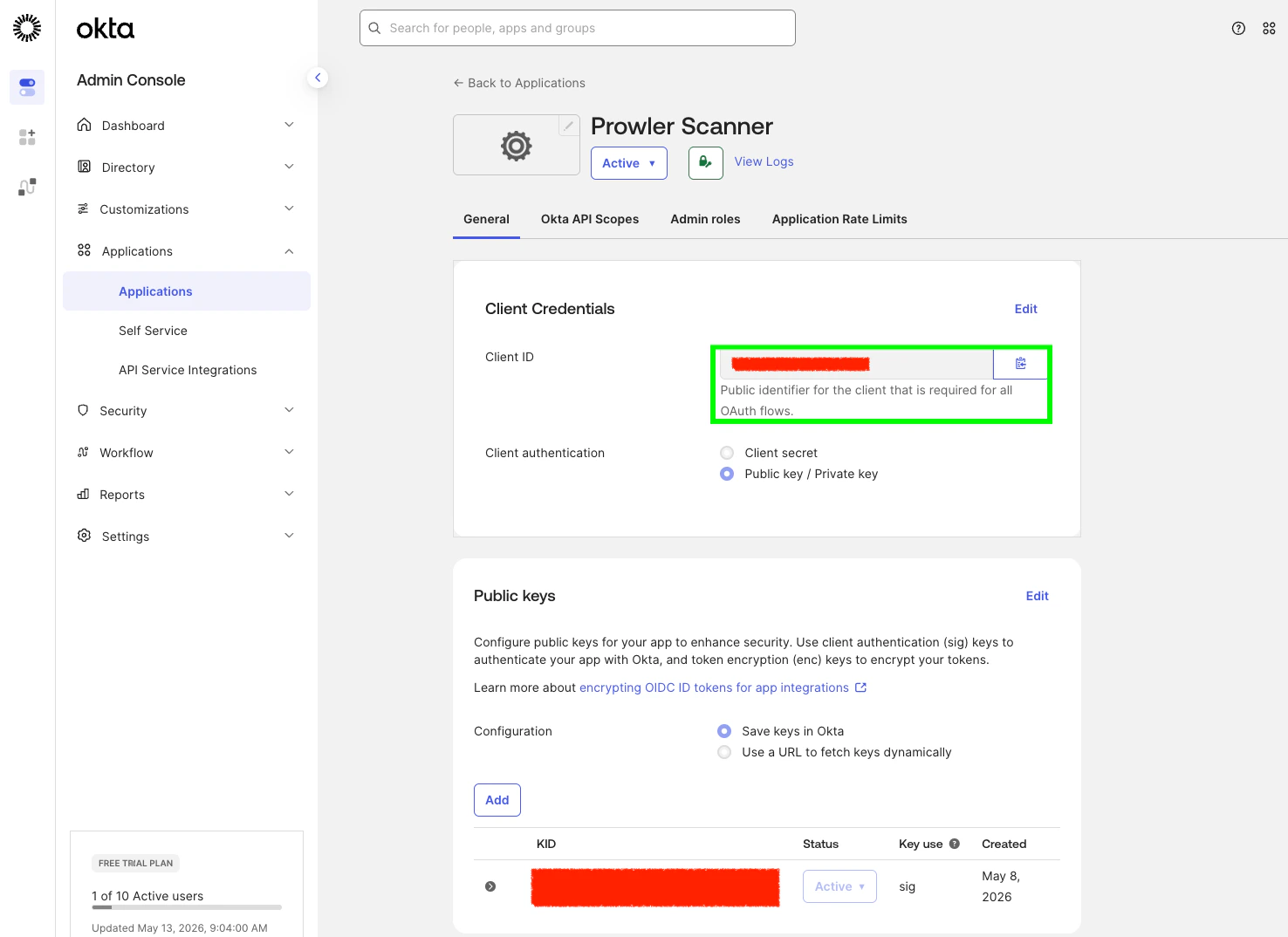
Prowler Scanner) and click Save. - Copy the displayed Client ID — you’ll use it as
OKTA_CLIENT_ID.
4. Switch to Private-Key Authentication and Generate a Keypair
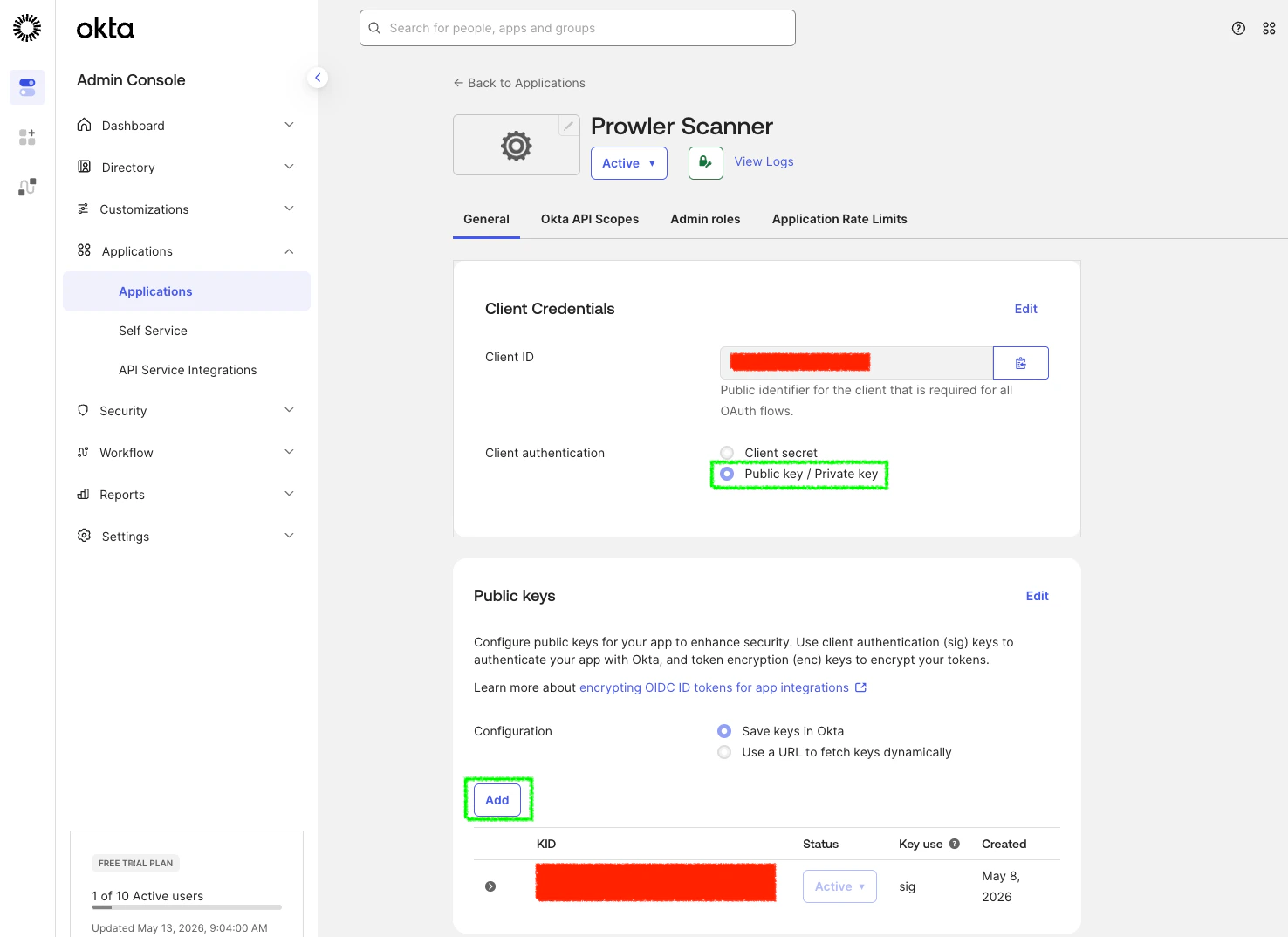
On the new app’s General tab, scroll to Client Credentials:- Click Edit.
- Set Client authentication to Public key / Private key.
- Under Public Keys, click Add key.
- In the modal, click Generate new key. Okta creates a JWK pair.
- Click the PEM tab to switch the displayed format (or keep JWK — Prowler accepts both).
- Copy the entire
-----BEGIN PRIVATE KEY-----block (or the JWK JSON). - Click Done, then Save.
5. Grant the Required OAuth Scopes
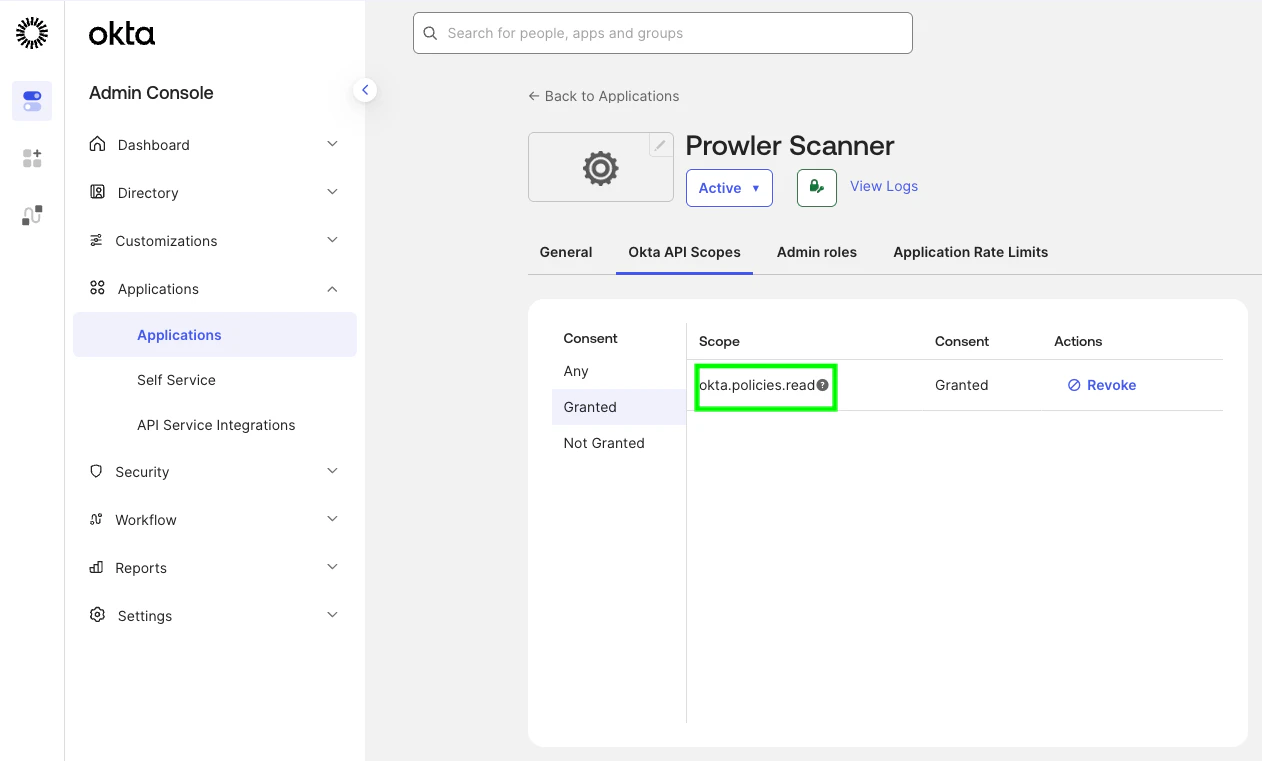
On the app, open the Okta API Scopes tab and click Grant on every scope Prowler needs. The bundled checks requireokta.policies.read, okta.brands.read, okta.apps.read, okta.authenticators.read, okta.networkZones.read, okta.apiTokens.read, okta.roles.read, okta.groups.read, okta.logStreams.read, and okta.idps.read.
6. Assign an Admin Role
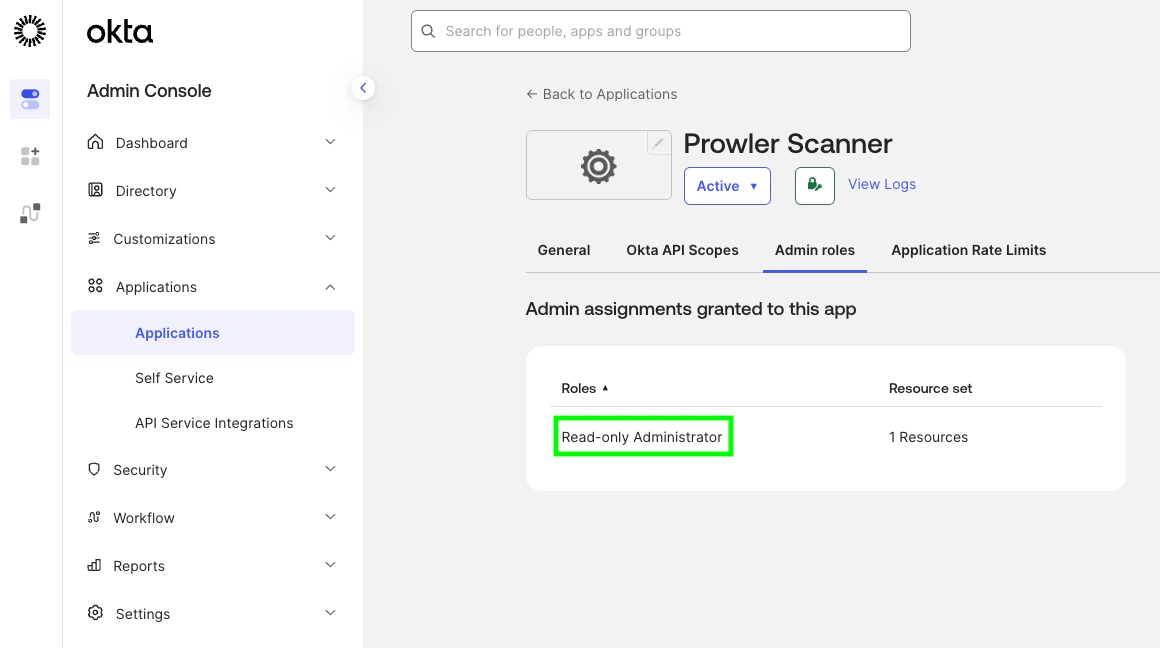
On the app, open the Admin roles tab and click Edit assignments → Add assignment:- Role: Read-Only Administrator (default) — covers every
signoncheck and runs the per-app network-zone check against the apps the service app can see (typically only the service app’s own row). - Resources: All resources
7. [Optional] Verify DPoP Setting
Prowler sends DPoP (Demonstrating Proof of Possession) proofs on every token request. The integration works whether the Require Demonstrating Proof of Possession (DPoP) header in token requests setting on the service app is on or off — but enabling it is the more secure default.Prowler CLI Authentication
Using Environment Variables (Required for Secrets)
Private key material must be supplied via environment variables — Prowler does not accept secrets through CLI flags.Non-Secret CLI Flags
Non-secret values are also available as CLI flags for ergonomic overrides:
Run a single check directly:
Troubleshooting
OktaInvalidOrgDomainError
The org domain must be <org>.okta.com (or .oktapreview.com / .okta-emea.com / .okta-gov.com / .okta.mil / .okta-miltest.com / .trex-govcloud.com). Pass the bare hostname only — no https:// scheme, no path, no trailing slash. Custom (vanity) domains are not currently accepted.
OktaPrivateKeyFileError
The file at OKTA_PRIVATE_KEY_FILE is missing, unreadable, or empty. Confirm the path and that the file contains a non-empty PEM block or JWK JSON document.
OktaInvalidCredentialsError at Provider Init
Prowler validates credentials at startup by listing one sign-on policy. This error indicates the credential material itself was rejected:
invalid_client— the public key registered in Okta does not match the private key on disk. Generate a fresh keypair and try again.
OktaInsufficientPermissionsError at Provider Init
Raised when the credential probe succeeds at the OAuth layer but the request is rejected because the service app lacks the required scope or admin role:
invalid_scope— one of the requested scopes (okta.policies.read,okta.brands.read,okta.apps.read,okta.authenticators.read,okta.networkZones.read,okta.apiTokens.read,okta.roles.read,okta.groups.read,okta.logStreams.read, andokta.idps.read) is not granted on the service app. Grant the missing scope from Okta API Scopes.Forbidden/not authorized— no admin role is assigned to the service app. Assign Read-Only Administrator (or Super Administrator for the first-party application checks) from Admin roles.
Application-Service Checks Return MANUAL on First-Party Apps
When the service app runs with Read-Only Administrator, the five application-service checks targeting the Okta Admin Console and Okta Dashboard return MANUAL. This is by design — Okta restricts the underlying endpoints (/api/v1/first-party-app-settings/{appName} and /api/v1/apps for first-party app name values saasure / okta_enduser) to Super Administrator. Assign the Super Administrator role to the service app to evaluate those checks. See Required Admin Role for the full list.