

 About Us
Permissions
Managing customer plans requires a role with Manage billing, held today by both Superadmin and Organization Admin. See Managing Your Team.Customer Plans
Plans are chosen in the Set Their Billing Plan step of the Add Customer wizard. A customer starts on a trial or on one of the paid plans, billed monthly or annually. Each plan card in the wizard shows its own price, included usage and overage rate. For current pricing, see prowler.com/pricing.Provider Accounts on the Annual Plan
The annual plan is paid upfront for a fixed number of cloud provider accounts, between 1 and 20. You set that count when you pick the plan. The monthly plan does not require an upfront provider account count.Change a Customer’s Plan
Open the actions menu on a customer’s row and choose Change plan. The Change Plan dialog opens on Choose your plan, with the same Monthly and Annual toggle used when the customer was created.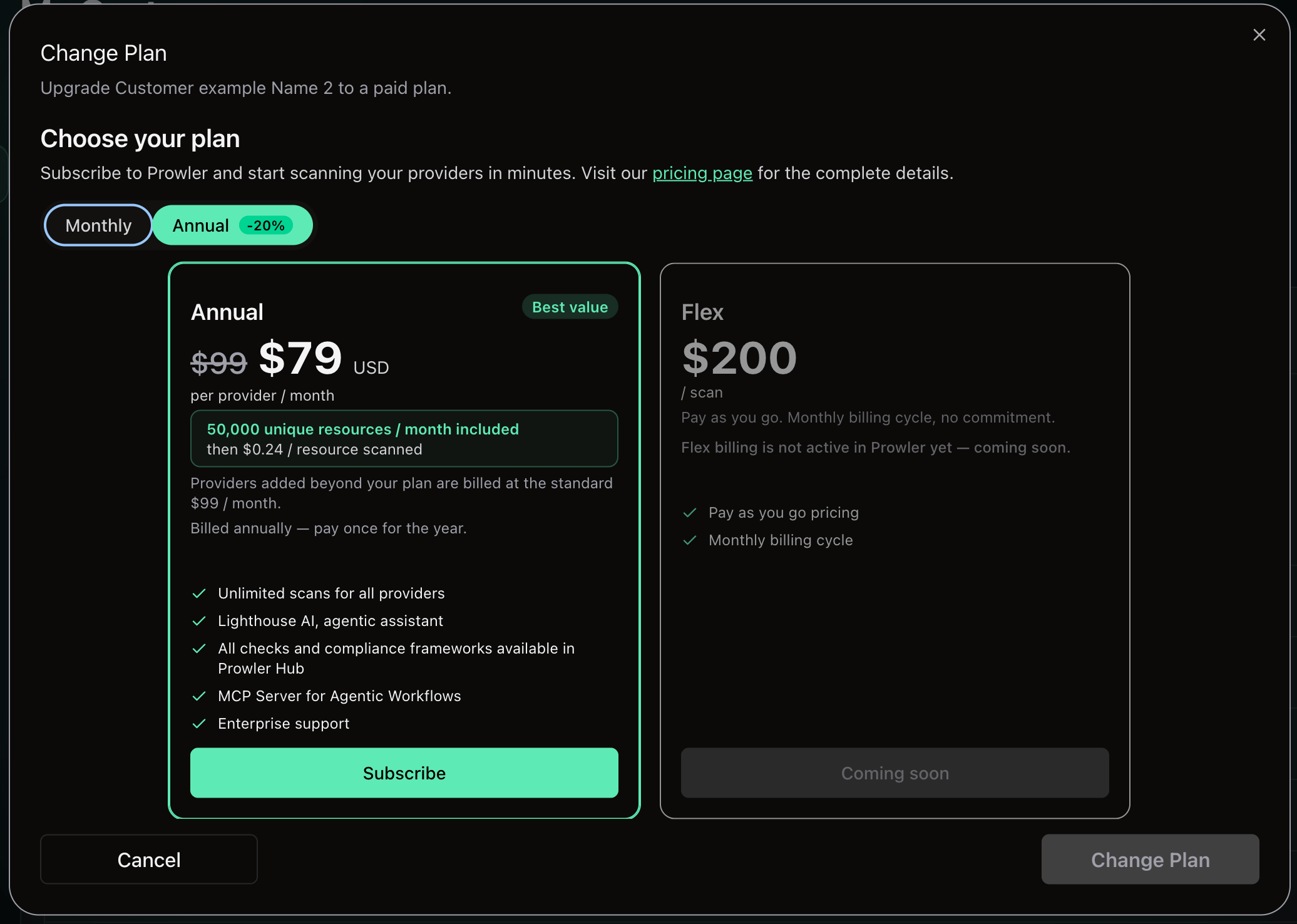
Revenue Reporting
Billing figures surface in two places. On the Customers page, stat cards above the table summarize Billing active — how many customers hold an active subscription — and Total MTD per currency, with a percentage change against last month. The cards appear once a customer has billing activity.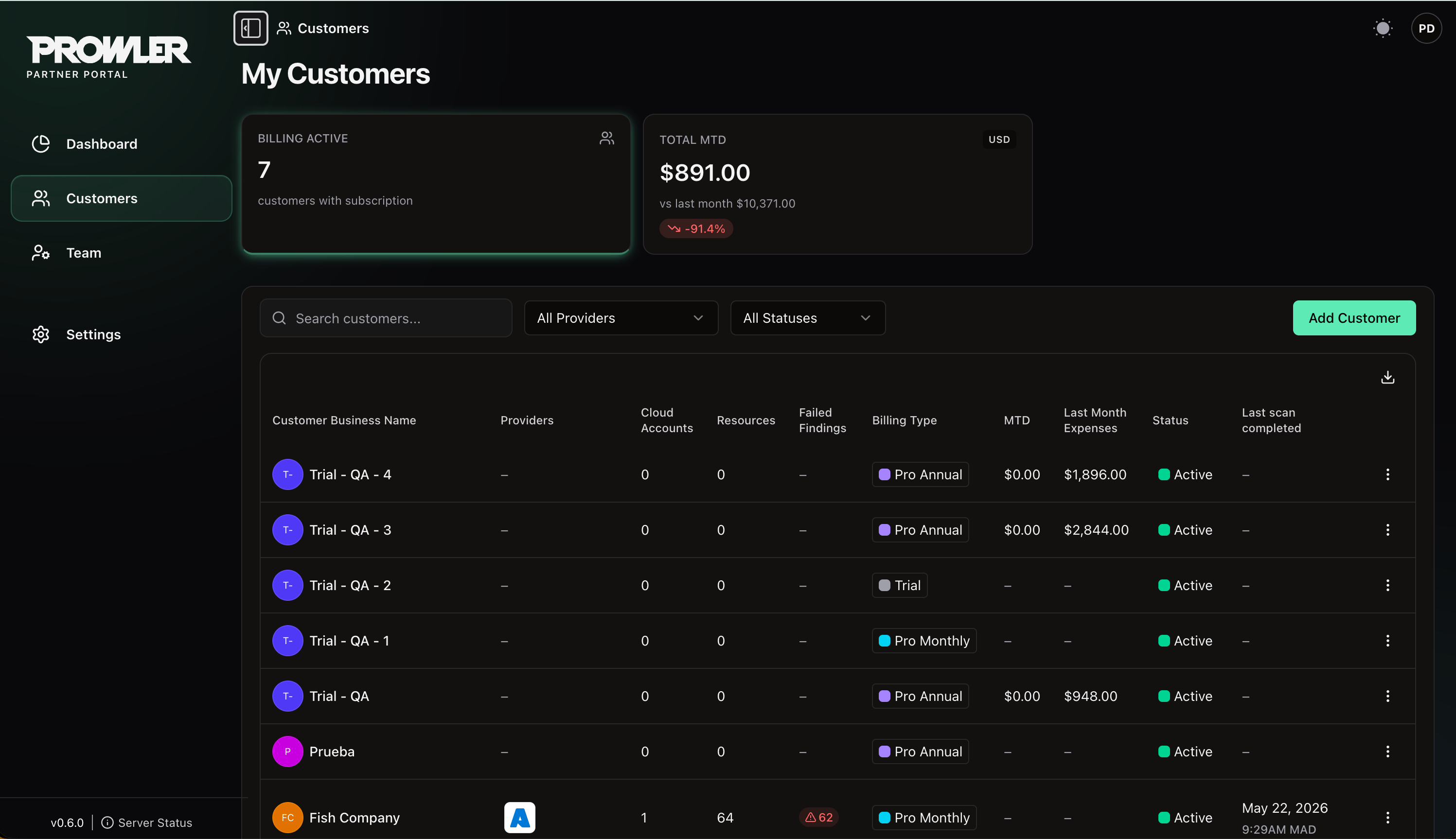
Next Steps
Onboarding Customers
Add customers and open their Prowler Cloud tenants.
Your Partner Organization
Lifecycle, settings, Partner Code and closing your organization.