

 About Us
Sign Up for Prowler for MSPs and MSSPs
What You Get
- Customer onboarding: provision a Prowler Cloud tenant for each customer, with a billing plan selected up front.
- Delegated access: open any customer’s Prowler Cloud tenant from the console. Every action is attributed to you acting on behalf of that customer.
- Team and roles: invite team members by email and assign a role that governs what they can do.
- Consolidated billing: each customer carries its own plan, with month-to-date revenue reported across every customer.
- Branding: upload your logo and preview its intended placement in Settings.
Core Concepts
Three objects make up the model. Getting these straight makes the rest of the documentation easy to follow.How It Relates to Prowler Cloud
Your customers keep signing in to Prowler Cloud with their own users. Provider-side access is additive — it does not replace or restrict customer-side users.
The Console at a Glance
Signing in lands you on the Dashboard. The sidebar carries: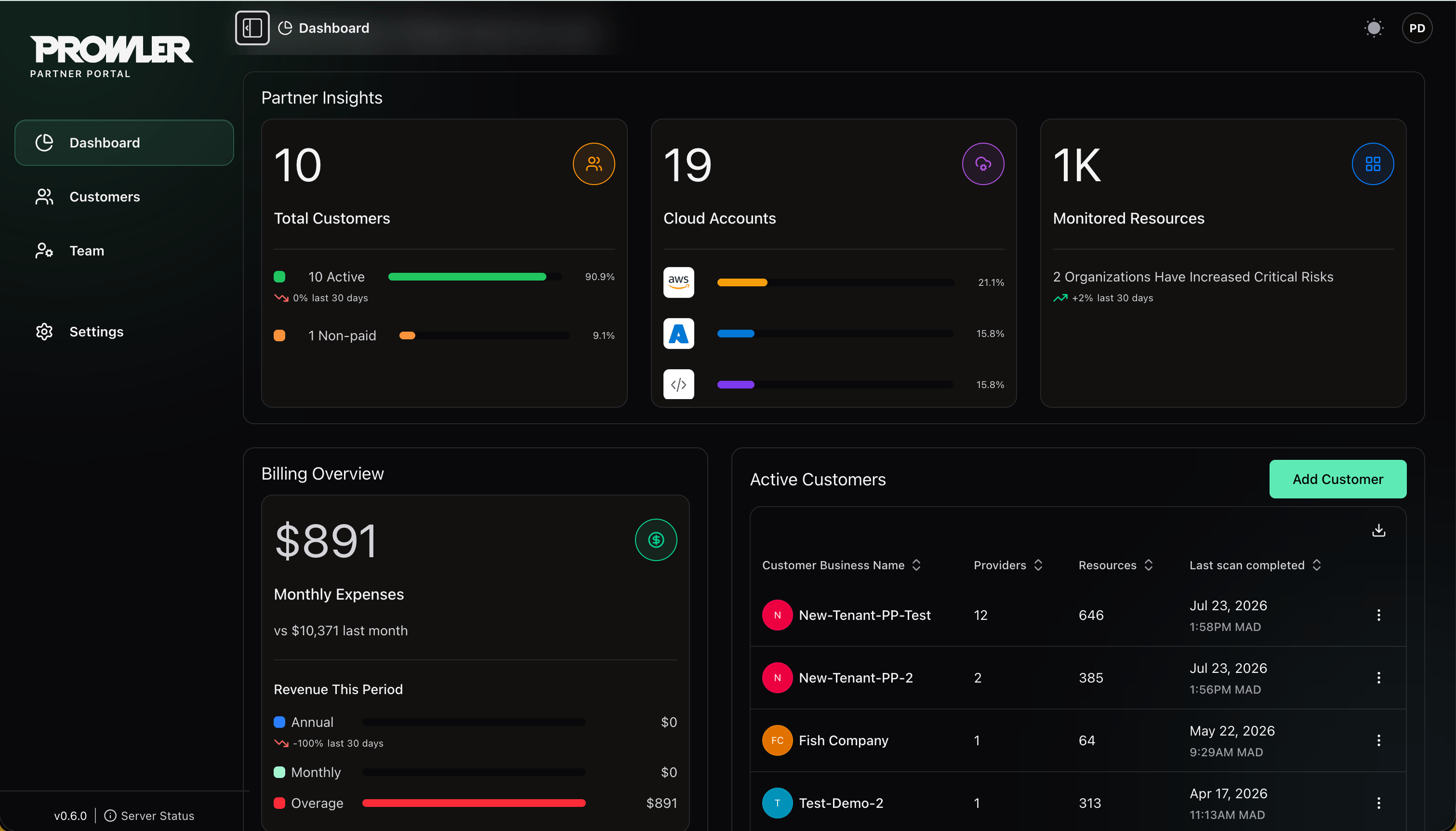
Getting Access
Sign-up is self-service, approval is not. Register at partners.prowler.com/sign-up, then verify your email address — the organization sits in Pending email verification until you do, and the Prowler team does not review it before that. Verifying moves the organization to Pending approval. Once approved, you can invite your team and start onboarding customers.Next Steps
Sign Up and Sign In
Register, verify your email, and get approved.
Your Partner Organization
Lifecycle, settings, Partner Code and closing your organization.
Onboarding Customers
Add customers and open their Prowler Cloud tenants.
Managing Your Team
Invite team members and assign roles.