

 About Us
Add a Customer
If you are a Superadmin, select Customers in the sidebar, then click Add Customer to open a three-step wizard.In the Partner Portal UI, the Add Customer action is currently shown to Superadmins. Organization Admins manage existing customers but do not see the action.
1
Create A Customer Profile
Enter the Customer Business Name and confirm the Region. The name must be unique within your partner organization; a duplicate is rejected inline. Click Next.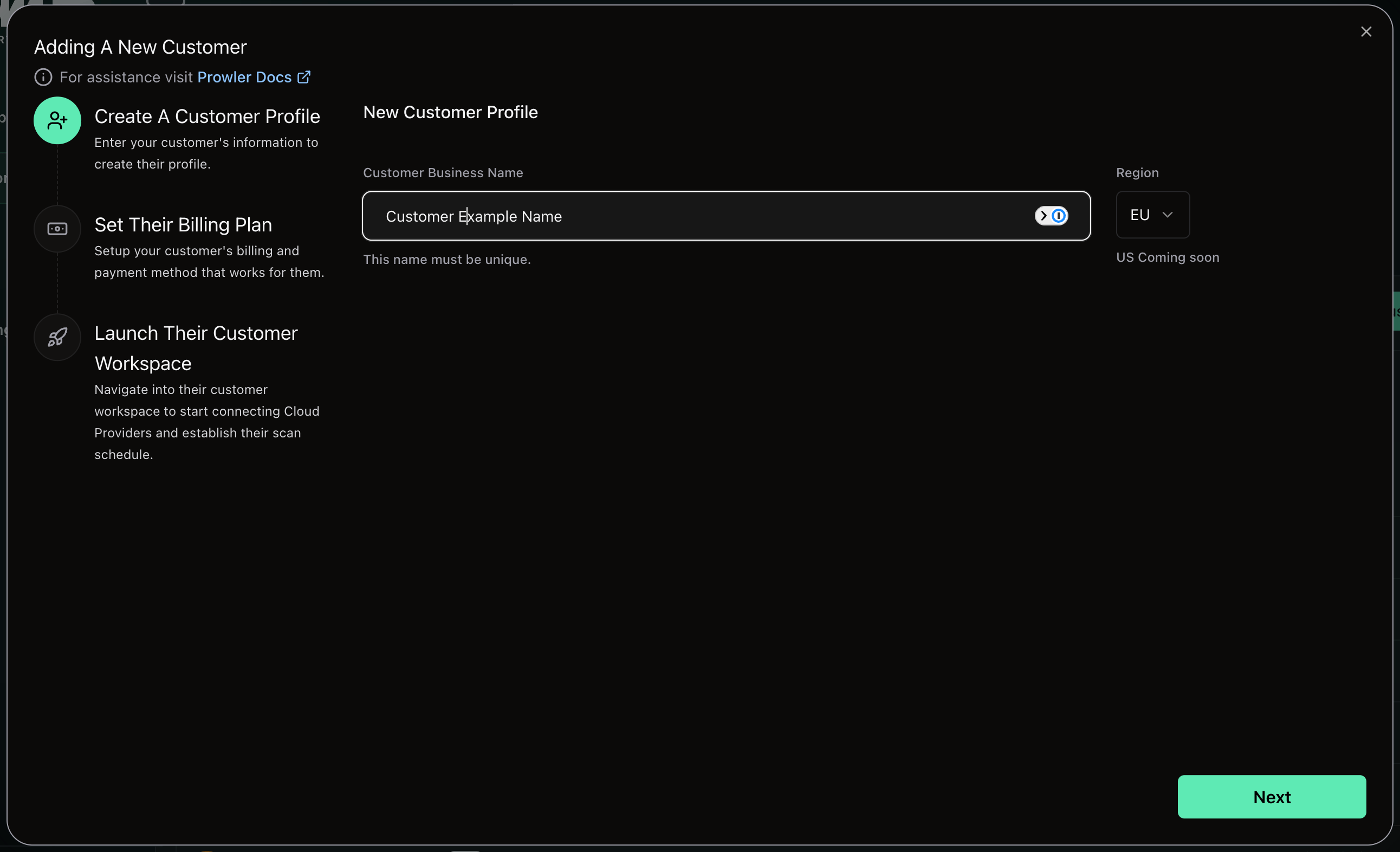
2
Set Their Billing Plan
Under Choose your plan, switch between Monthly and Annual and pick the plan the customer starts on. Click Create Customer. See Billing and Customer Plans for what the annual plan asks for.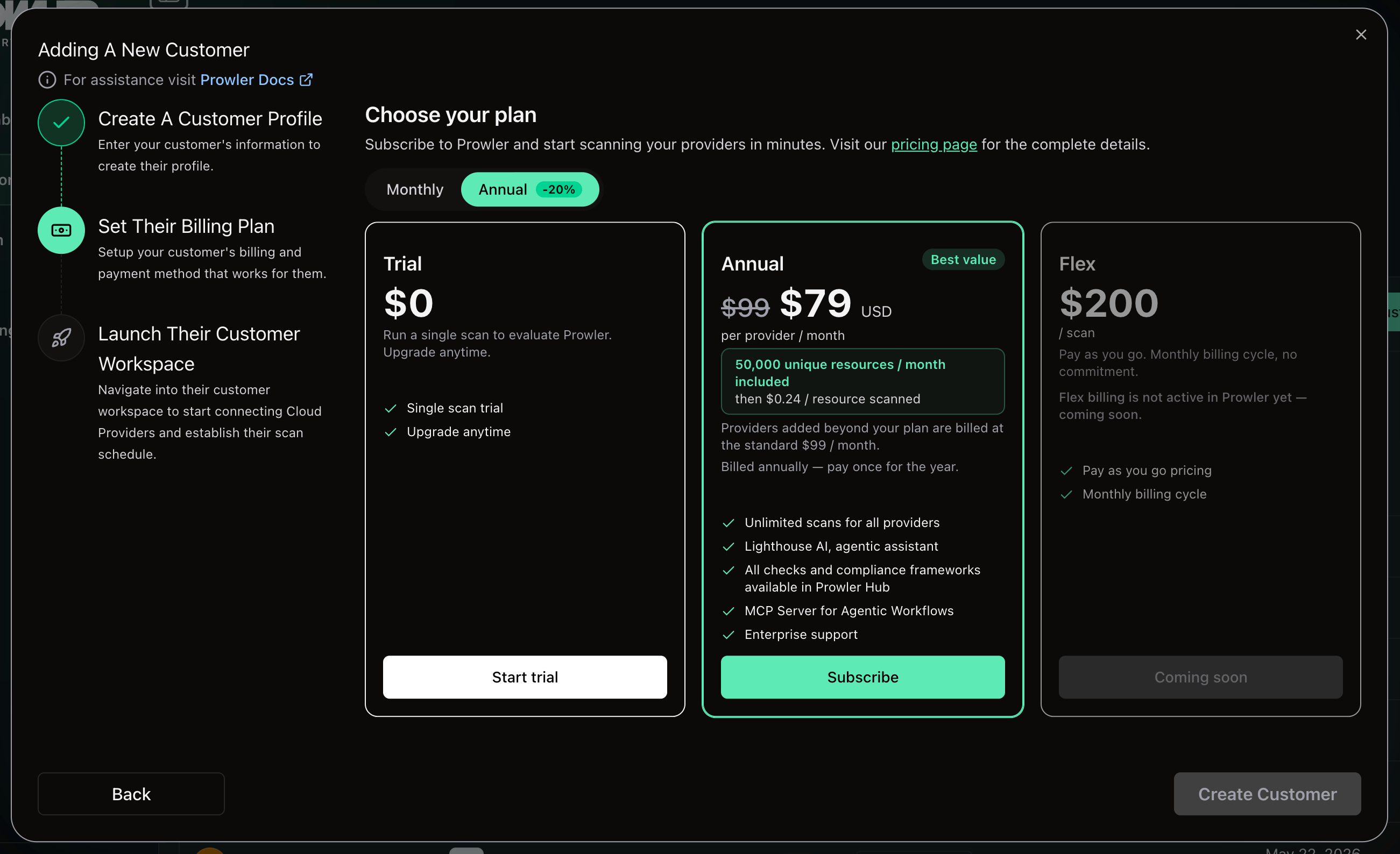
3
Launch Their Customer Workspace
Wait while the tenant is created and linked to your organization. A banner then confirms that the customer was created on trial or that paid-plan enrollment was submitted. Click Go To Organization to head straight there and start connecting cloud providers, or Close to return to the customer list.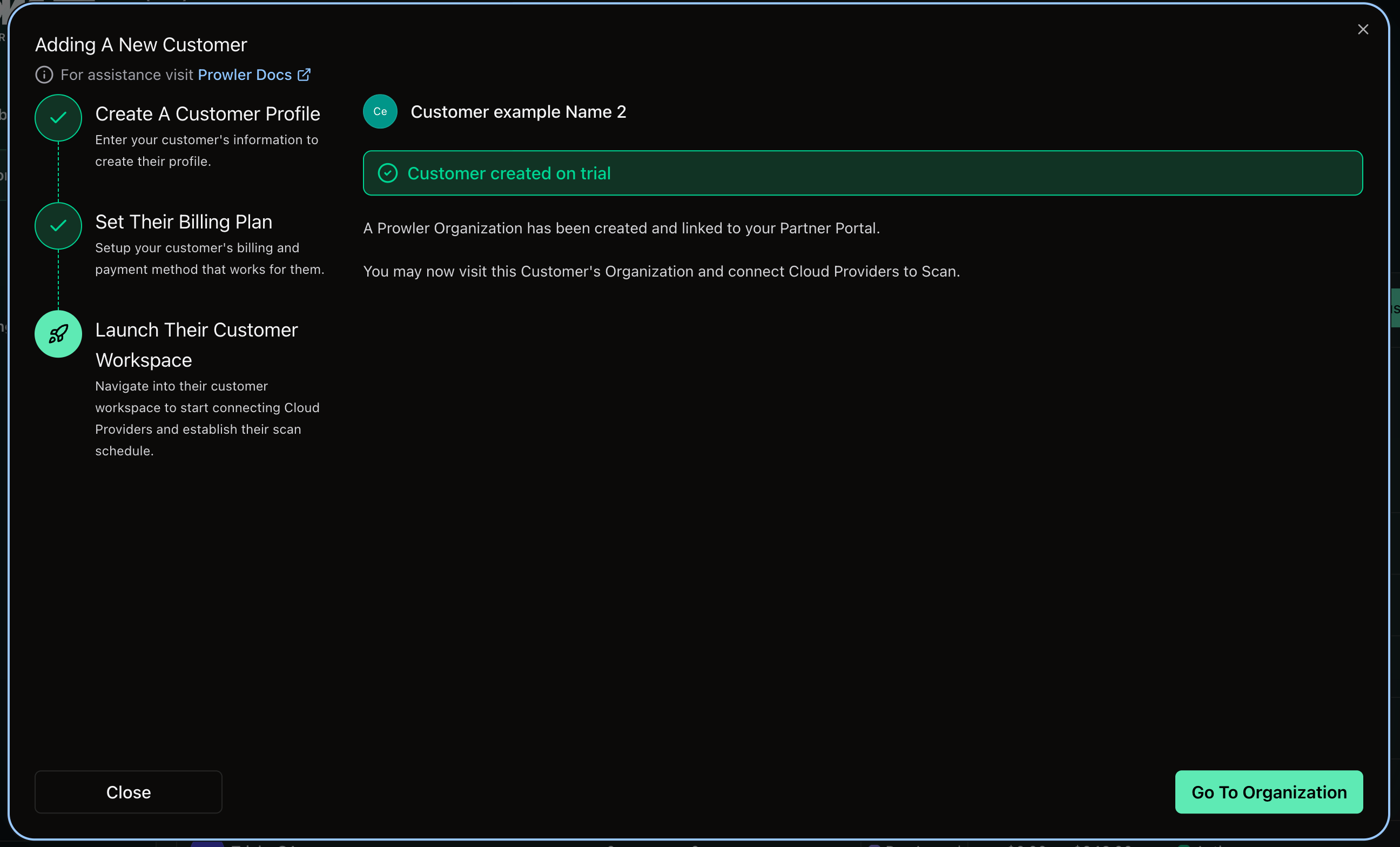
The Customers View
My Customers lists every customer you can reach.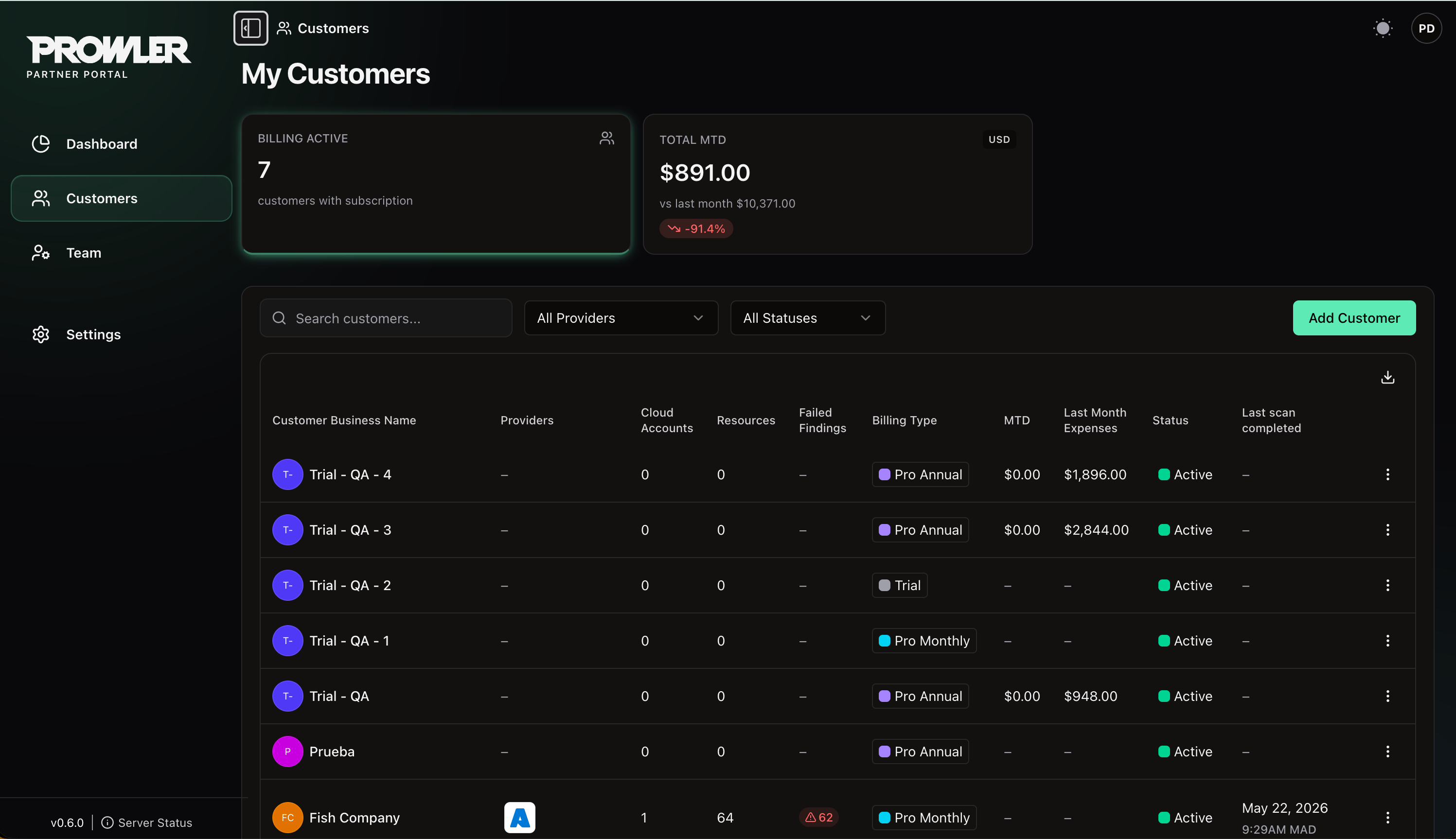
Above the table, search by name and filter by provider or status. The download button at the top right of the table exports the list.
Open a Customer’s Prowler Cloud Tenant
Open the actions menu at the end of a customer’s row and choose Access Organization. You are redirected into that customer’s tenant in Prowler Cloud, signed in as yourself acting on their behalf. While you are in the tenant you see what a customer administrator sees, and every action is recorded in the Prowler Cloud audit log against both your identity and the customer you are acting for. Opening a tenant requires a role with Access tenants. The action fails with a clear message if you lack permission, if the customer no longer exists, or if the tenant is not ready.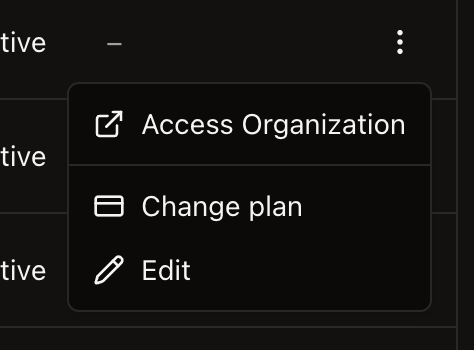
Edit a Customer
Choose Edit from the row actions to open the Edit customer panel and rename the customer. The new name must still be unique within the partner organization.Link an Existing Customer with Your Partner Code
Each approved partner organization carries a Partner Code, shown on Settings → Profile with the helper text “Share this code with customers to link their accounts.” A customer who already runs Prowler Cloud can use that code to request a link to you, rather than having you provision a fresh tenant.The customer-side flow that consumes the Partner Code is rolling out progressively in Prowler Cloud. Confirm availability with your Prowler contact before sharing the code.
Customer Self-Access
Your customers keep signing in to cloud.prowler.com with their own users. Your access is additive — it neither replaces nor restricts theirs.Next Steps
Billing and Customer Plans
Customer plans and revenue reporting.
Managing Your Team
Invite team members and assign roles.