

 About Us
Roles
Two roles ship with every partner organization:- Superadmin — full account management. Invites members, adds and manages customers, edits branding and settings, and opens customer tenants.
- Organization Admin — manages customers and billing, and opens customer tenants. Cannot invite members, change organization settings, or add new customers.
The Prowler Cloud-side permission level for a team member is provisioned automatically as Manager and is managed in Prowler Cloud, not here. There is no Cloud role to pick at invitation time.
Invite a Team Member
1
Open Team
Select Team in the sidebar. The entry only appears for roles with Manage members.
2
Send the invitation
Click Invite User, enter the Email, pick a User Role, then click Send Invite. Each role option in the selector carries a one-line description of what it grants.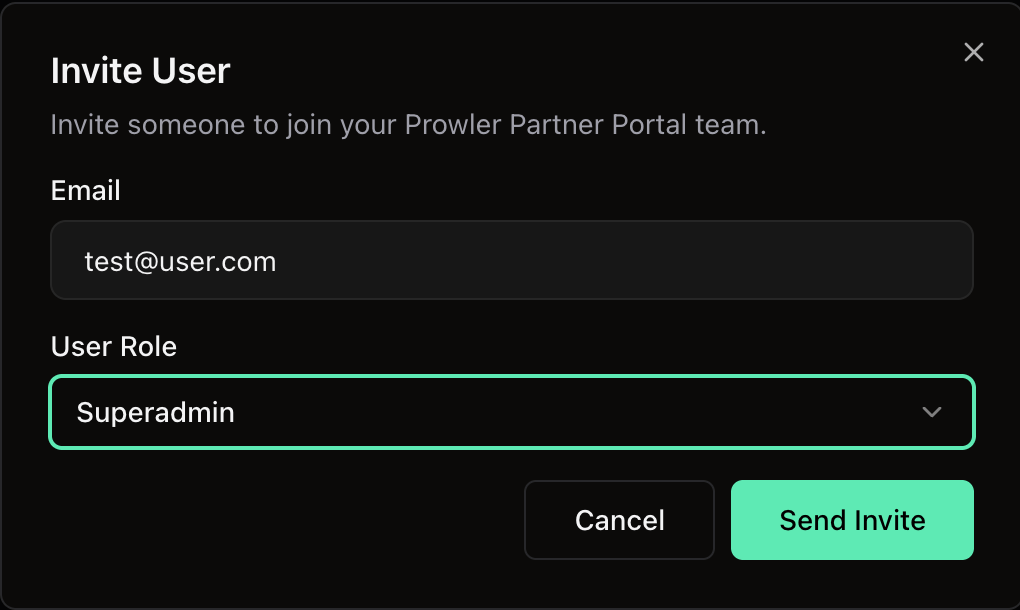
3
Track the invitation
The team table lists Name, Email, Role, Status and User Event for members and pending invitations. A pending invitation may display as Expired after its expiry passes. Accepted invitations become member rows, while revoked invitations are no longer shown.
Re-Invite or Revoke
For a Pending or Expired invitation, Re-invite sends a fresh link and resets the expiry. Revoke invalidates the invitation immediately — the recipient can no longer accept it. To re-issue an invitation that is still pending, use Re-invite rather than sending a second one.Disable, Enable or Remove a Member
Active members carry a Disable action. Disabling revokes access immediately but keeps the row in the table, flagged as disabled, so the audit trail survives. A disabled member can be:- Enabled — access is restored as it was.
- Re-invited — a fresh invitation brings them back as a new active member. The invite dialog opens pre-filled with their address and its title changes to Re-invite user.
Notes
- The first administrator is created during sign-up and becomes the owner.
- An email address can hold only one active membership in a given partner organization.
- Permissions are scoped to one partner organization. A session for one organization carries no permissions in another.
Next Steps
Onboarding Customers
Add customers and open their Prowler Cloud tenants.
Billing and Customer Plans
Customer plans and revenue reporting.