

 About Us
Prerequisites
Before you begin, make sure you have:- An Alibaba Cloud Account ID (visible in the Alibaba Cloud Console under your profile).
- Credentials with appropriate permissions:
- RAM User with Access Keys: For local CLI usage or simple CI setups. See RAM User and AccessKey.
- RAM Role: For role assumption and Prowler Cloud onboarding. See RAM Role Assumption.
- The required permissions for Prowler to audit your resources. See the Alibaba Cloud Authentication guide for setup steps and permission guidance.
Prowler Cloud
Onboard Alibaba Cloud using Prowler Cloud
Prowler CLI
Onboard Alibaba Cloud using Prowler CLI
Prowler Cloud
Added in: 5.18.0Step 1: Get Your Alibaba Cloud Account ID
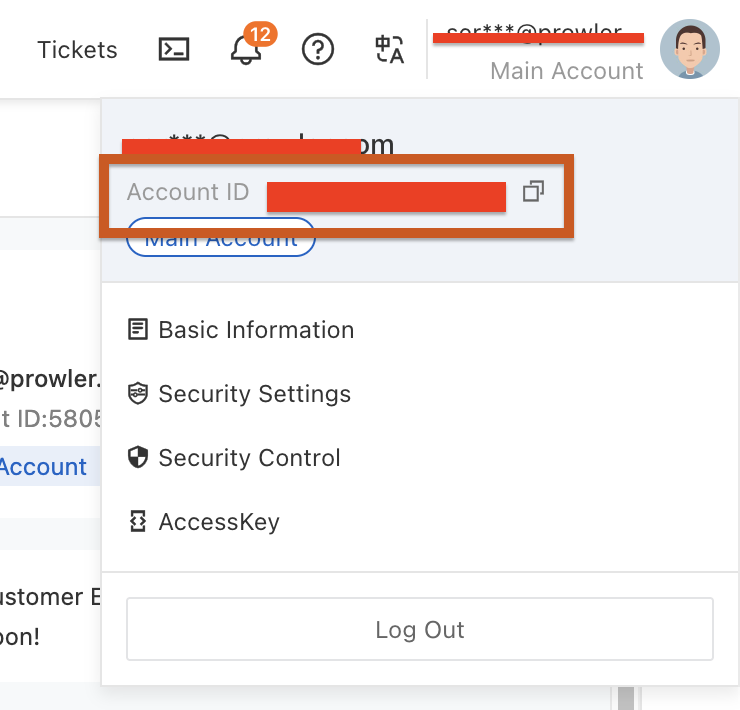
- Log in to the Alibaba Cloud Console
- Click your profile avatar in the top-right corner
- Locate and copy your Account ID
Step 2: Access Prowler Cloud
- Navigate to Prowler Cloud or launch Prowler Local Server
-
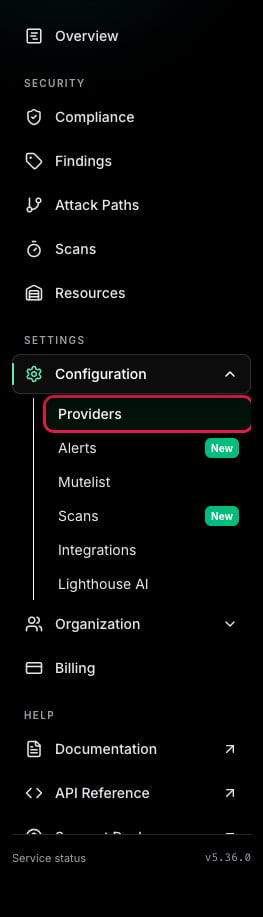
Go to “Configuration” > “Providers”
-
Click “Add Provider”
-
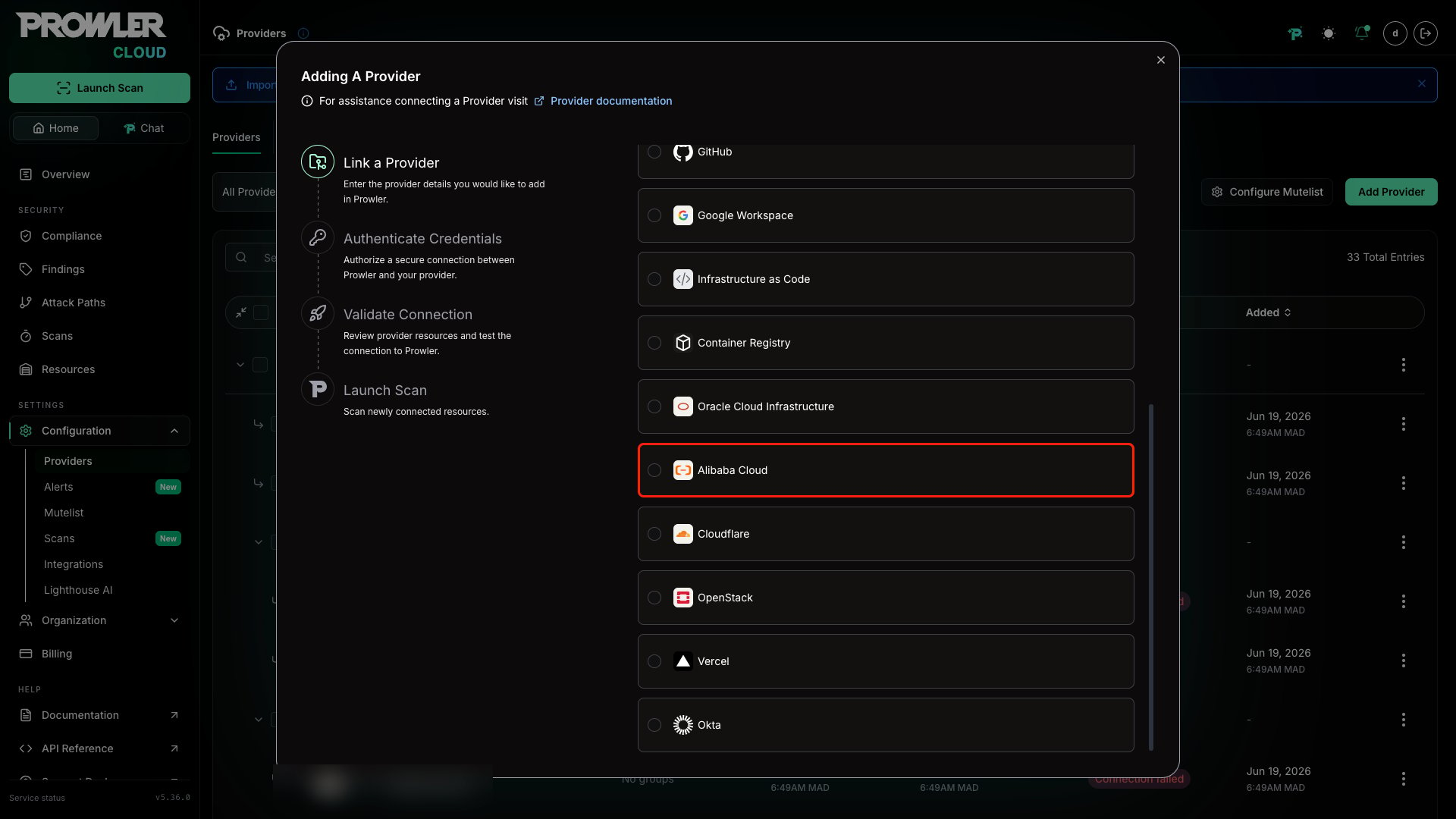
Select “Alibaba Cloud”
-
Enter your Alibaba Cloud Account ID and optionally provide a friendly alias
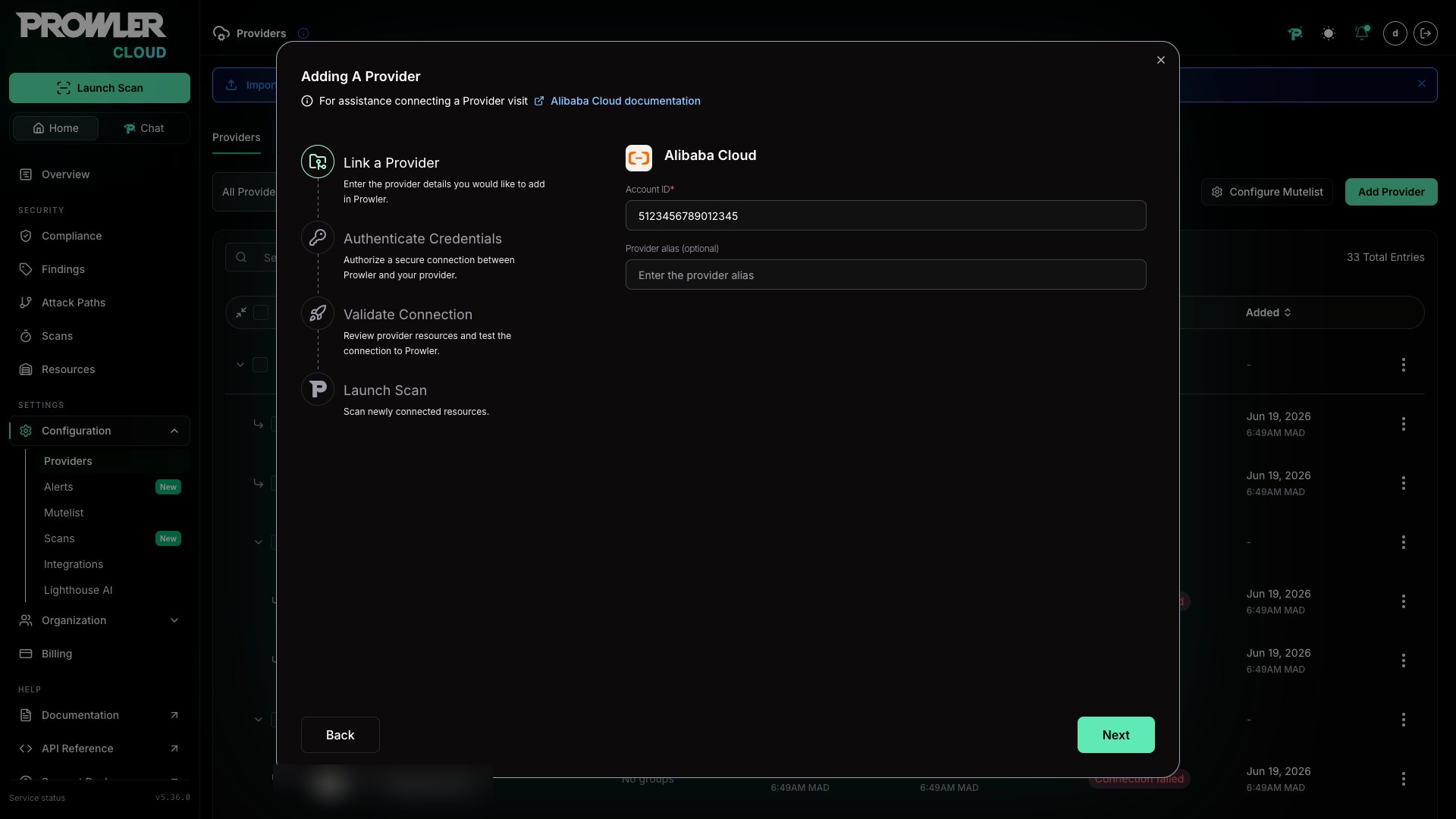
Step 3: Choose and Provide Authentication
After the Account ID is in place, select the authentication method that matches your Alibaba Cloud setup: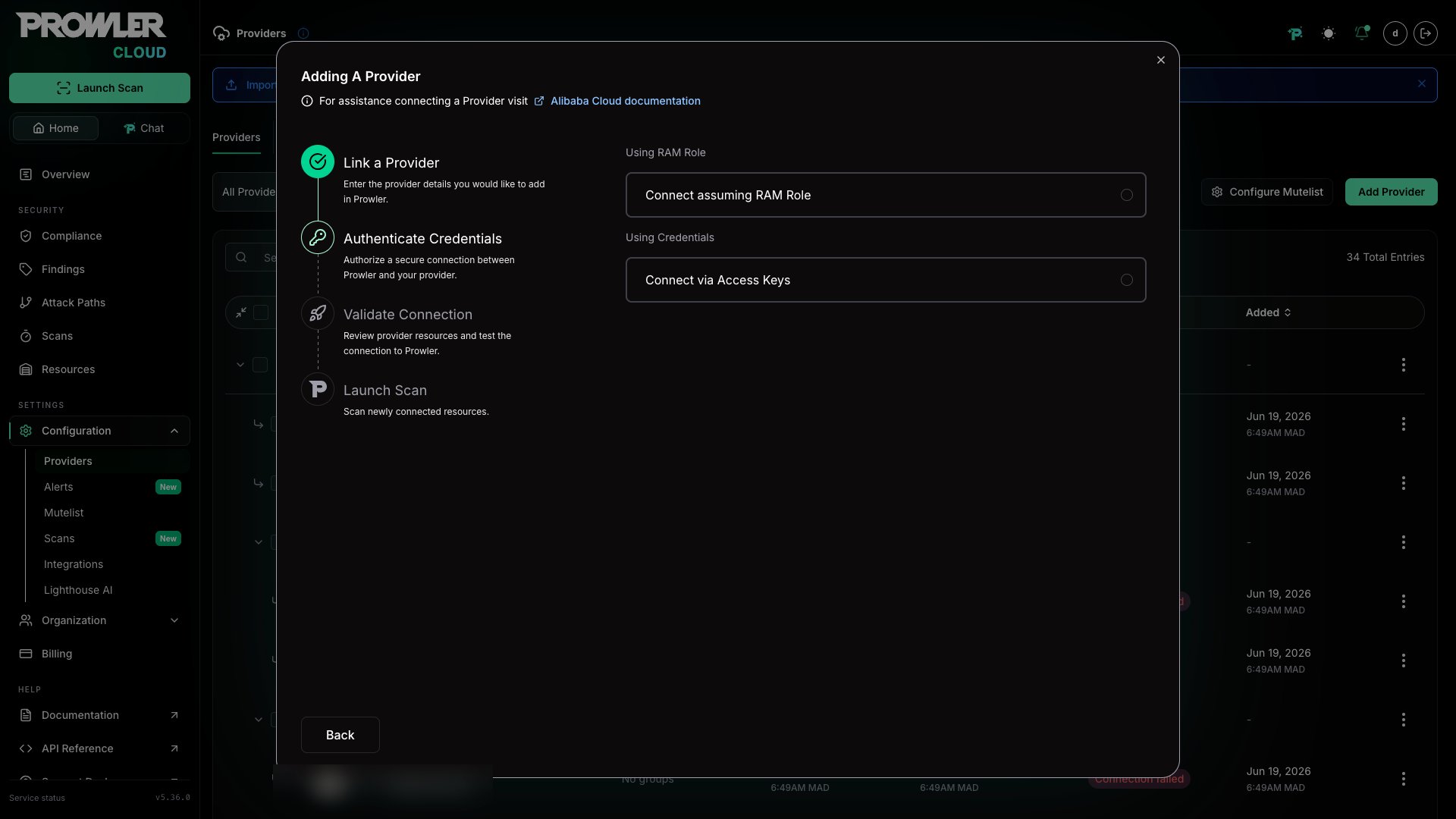
RAM Role Assumption (Recommended)
Use this method for secure cross-account access. For detailed instructions on how to create the RAM role, see the Authentication guide.-
Enter the Role ARN (format:
acs:ram::<account-id>:role/<role-name>) -
Enter the Access Key ID and Access Key Secret of the RAM user that will assume the role
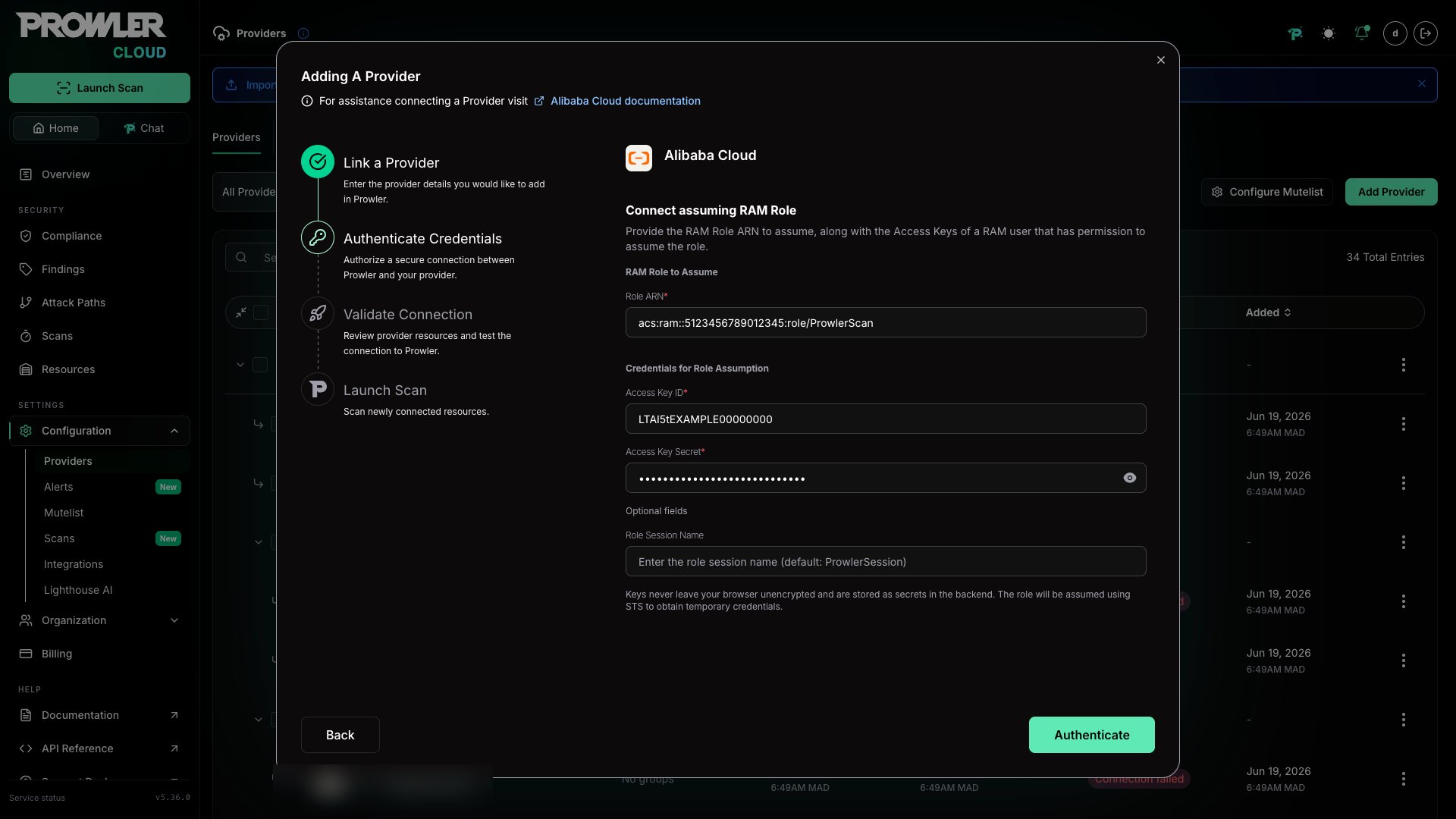
The RAM user whose credentials you provide must have permission to assume the target role. For more details, see the Alibaba Cloud AssumeRole API documentation.
Credentials (Static Access Keys)
Use static credentials for quick scans (not recommended for production). For detailed setup, see the Authentication guide.-
Enter the Access Key ID and Access Key Secret
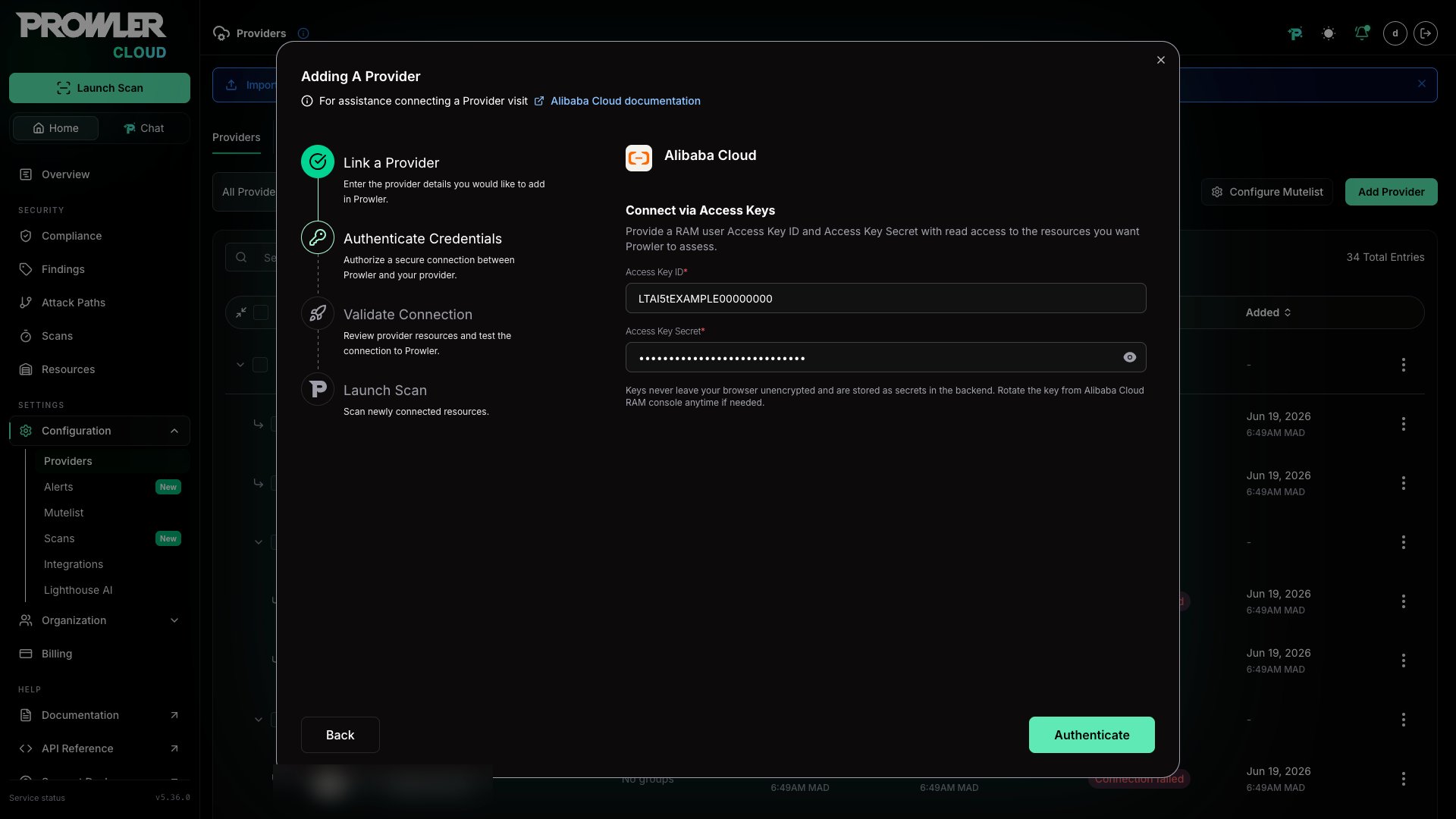
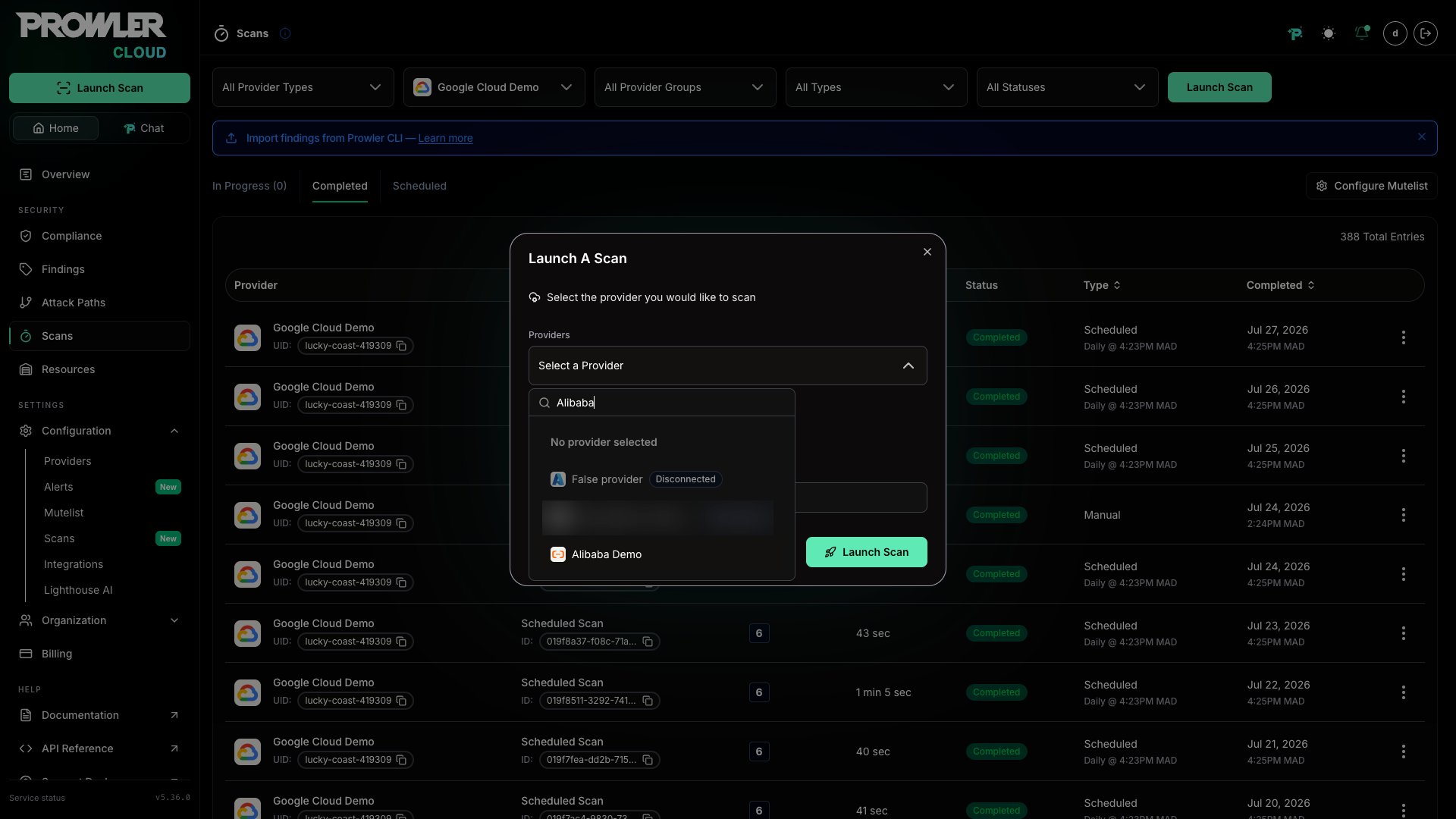
Step 4: Launch the Scan
- Click “Next” to review your configuration
-
Click “Launch Scan” to start auditing your Alibaba Cloud account
Prowler CLI
Added in: 5.15.0 You can also run Alibaba Cloud assessments directly from the CLI. Both command-line flags and environment variables are supported.Step 1: Select an Authentication Method
Choose one of the following authentication methods. For step-by-step credential creation and the full list of supported authentication modes, see the Authentication guide.Environment Variables
Default Credential Chain
RAM Role Assumption
ECS RAM Role (for ECS instances)
Step 2: Run the First Scan
Scan All Regions
Scan Specific Regions
Run Specific Checks
Run a Compliance Framework
Additional Tips
- Combine flags (for example,
--checksor--services) just like with other providers. - Use
--output-modesto export findings in JSON, CSV, ASFF, etc. - For more authentication options (OIDC, Credentials URI, STS), see the Authentication guide.